AI Email Assistant for Outlook: What It Does and How Mailtwine Fits

Outlook inboxes get noisy fast when one person owns too many threads, or when a shared mailbox turns into a pile of unread decisions. The real problem is not writing faster replies. It is deciding what deserves attention first, who should handle it, and what the next step should be.
An AI email assistant for Outlook should help with that work. For some teams, that means drafting. For others, it means sorting, summarizing, routing, and approving messages before they become another manual follow-up. Mailtwine is built for the second case: it turns Outlook email triage into a clearer workflow without forcing teams to change how they already work.
If you want the broader framework behind this, see what is AI email triage, how to triage email with AI, and email triage software.
What is an AI email assistant for Outlook?
An AI email assistant for Outlook is software that uses AI to help manage inbox work inside or alongside Outlook. Depending on the tool, it might summarize long threads, suggest replies, identify priority messages, or route email to the right person.
The phrase sounds simple, but it covers two different jobs:
- Reply help: drafting, rewriting, and summarizing
- Inbox operations: prioritizing, assigning, routing, approving, and tracking ownership
That distinction matters. A tool that only helps write replies can still leave the team with a messy inbox. Mailtwine focuses on the operational side, so teams can turn Outlook email into an action queue instead of a scrolling list.
What Mailtwine does for Outlook teams
Mailtwine helps Outlook teams triage email with AI so messages are not just answered faster, but handled in the right order.
For Outlook users, that usually means:
- identifying urgent or high-value messages first
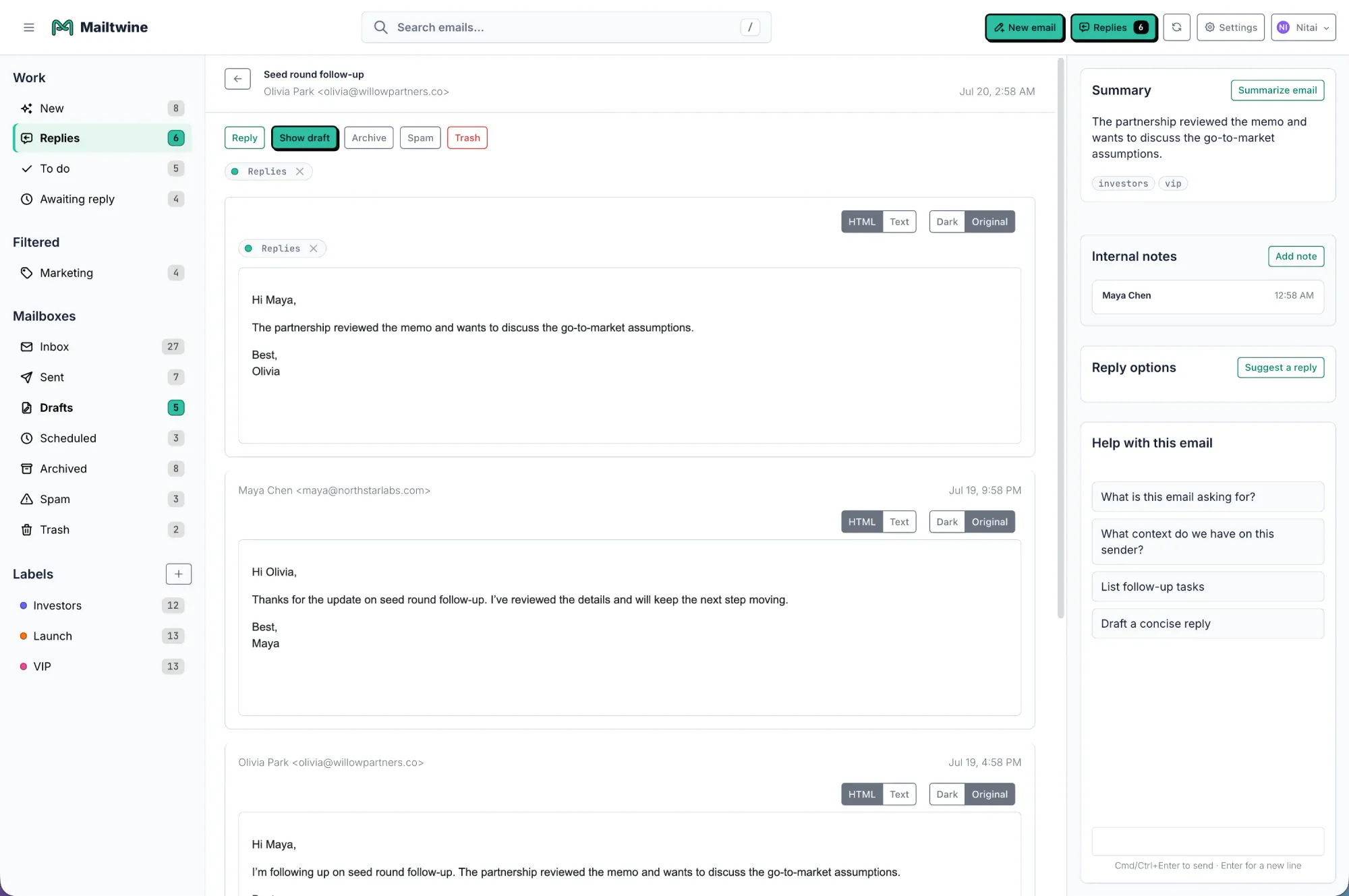
- summarizing long threads into the next action
- drafting replies for human review
- routing threads to the right owner
- keeping approval in the loop for sensitive or customer-facing messages
- reducing the manual sorting that happens before work can start
This is especially useful for support, success, sales, executive ops, and other teams that share mailbox responsibility. If your Outlook inbox is a place where decisions pile up, Mailtwine is designed to help create structure before anyone starts typing.
AI email assistant vs email triage vs workflow automation
These terms overlap, but they are not the same. If you are comparing tools for Outlook, it helps to separate them.
| Category | What it does | Best for |
|---|---|---|
| AI email assistant | Drafts, rewrites, and summarizes messages | Individuals who want help writing or reading faster |
| Email triage | Sorts, prioritizes, and assigns messages | Teams that need to decide what matters first |
| Email workflow automation | Moves email through repeatable steps like routing, approval, and follow-up | Teams with shared ownership and defined processes |
An AI email assistant is often the first thing people look for in Outlook. But if the inbox is shared, or if replies need approval, you usually need more than drafting help. Mailtwine is closer to email workflow automation with AI built in, which means it handles triage and the steps that come after it.
For a deeper breakdown, see AI inbox management software comparison and email automation for busy teams.
How Mailtwine fits Outlook workflows
Mailtwine supports Outlook email triage so teams can manage inbox work without changing their mailbox workflow.
The product is designed around the idea that email should stay connected to the mailbox you already use. Mailtwine currently works natively with Helpmonks, Fastmail, and IMAP, and Microsoft 365 is supported through Microsoft OAuth. For Outlook-specific teams, the current Outlook page explains how Mailtwine handles the workflow today, including browser-based use for Outlook on the web and Microsoft OAuth-based mailbox sync.
That matters because many teams do not want to rebuild their process just to adopt AI. They want:
- the same mailbox structure
- fewer manual decisions
- clearer ownership
- human review where it matters
- a system that can grow into team workflows
Mailtwine is built around that exact sequence. First, it classifies and prioritizes. Then it can draft, route, and support approval-based handling.
When Outlook users need more than built-in AI features
Built-in Outlook AI features can be useful, especially when the goal is faster drafting or quicker replies. But they usually stop short of operational control.
Mailtwine is a better fit when you need:
- shared inbox discipline: multiple people working from the same mailbox
- priority control: important threads surfaced first
- routing: messages handed off to the right owner
- approval: replies reviewed before they go out
- auditability: visible thread state and accountable handling
- workflow depth: not just response help, but process support
In other words, Outlook AI can help with the wording. Mailtwine helps with the work around the wording.
What a useful AI inbox management setup should include
If you are evaluating an AI email assistant for Outlook, check whether it does more than summarize threads.
A useful setup should include:
- Priority signals: detect urgency, importance, and likely business impact
- Ownership: assign the thread to the right person or team
- Next action: show whether the message needs a reply, a handoff, an approval, or a follow-up
- Context preservation: keep the important details attached to the thread
- Human control: avoid sending sensitive replies automatically unless the team wants that
- Workflow fit: work with the mailbox and process you already have
That is why Mailtwine treats AI inbox management as triage plus workflow automation. It is not just about reducing reading time. It is about making the inbox usable as a queue.
Outlook on the web, desktop, and team use
One of the most common questions about Outlook AI tools is whether they work with Outlook on the web.
For Mailtwine, the answer is yes, and the Outlook page is designed around that use case. You can manage Outlook email triage without needing a separate add-in workflow, and the mailbox stays synchronized while you work in Mailtwine. This is important for teams that split work between browser access, desktop email, and shared operational processes.
If your team uses Outlook on the web today, the setup should feel like an extension of the workflow, not a migration project.
Why teams choose triage over drafting alone
A lot of people start with the idea of an AI email assistant because they want help writing. But in team inboxes, writing is usually not the first bottleneck.
The first bottleneck is deciding:
- which message matters now
- who owns it
- whether it should be answered, routed, or held for review
- whether it needs a summary before action
- whether the reply should wait for approval
That is why triage is the core of any serious inbox system. Once a message has priority, ownership, and a next step, drafting becomes much more useful. Without that, AI just helps someone type faster into a messy queue.
Mailtwine is built around that idea. It gives teams an AI layer for prioritizing, drafting, routing, and approvals while keeping the inbox usable as an operating system for work.
Frequently Asked Questions
Does Mailtwine work with Outlook on the web?
Yes. Mailtwine supports Outlook email triage so you can manage inbox work without changing your mailbox workflow. The Outlook on the web experience is part of the intended setup, which makes it easier for teams that work in the browser.
Is Mailtwine an AI email assistant or email triage software?
It is both, but the emphasis is different. Mailtwine includes assistant-like features such as drafting and summarization, but its main strength is email triage and workflow control. That means it is better suited to teams that need routing, approval, and ownership tracking, not just faster replies.
Do I need to change my mailbox to use Mailtwine with Outlook?
No major workflow change is the goal. Mailtwine is meant to fit into the mailbox process you already use, rather than replacing it. That makes adoption easier for teams that want AI inbox management without a full email migration.
Can Mailtwine help with shared inboxes in Outlook?
Yes. Shared inboxes are one of the best fits for Mailtwine because the product focuses on priority, ownership, routing, and approval-based handling. Those are the pieces that keep shared email from turning into an unread backlog.
What is the difference between AI email assistant Outlook tools and Mailtwine?
Many AI email assistant tools focus on drafting or summarizing. Mailtwine goes further by adding triage, routing, approval, and workflow automation. If your team needs more than reply help, Mailtwine is the better fit.
The bottom line
If you only need help writing faster replies in Outlook, a basic AI assistant may be enough. If you need to sort, route, approve, and track email work as a team, you need AI email triage.
Mailtwine is built for that second job. It helps Outlook teams turn inbox noise into a clear action queue, while keeping the mailbox workflow familiar.
For related reading, start with AI inbox management software comparison, what is AI email triage, and email command center.




