AI Inbox Management Software: Compare Tools by Workflow Fit

A shared inbox can look organized while work still slips through it. Messages get tagged but not assigned. An AI draft sits ready, but nobody knows who can approve it. An urgent request is marked important, yet the team cannot tell how long it has waited.
When comparing AI inbox management software, test what happens after a message arrives. The right tool should help your team identify the request, give it an owner, move it through review, and keep its status visible. If you only need help writing replies, a drafting assistant may be enough. If email is how your team handles customer requests or operational exceptions, compare the full workflow.
| Your main use case | Prioritize these capabilities | Test with a real message |
|---|---|---|
| One person handling a busy inbox | Prioritization, summaries, draft quality | Can you find and answer the important message faster? |
| Shared customer or operations inbox | Routing, explicit ownership, visible status | What happens when a request needs a different teammate? |
| Replies that require review | Draft handoff, approval controls, audit history | Can a reviewer change a draft before anything is sent? |
| Time-sensitive requests | Priority rules, SLA visibility, escalation | Who sees a request that is approaching its response deadline? |
| Teams using several mailbox providers | Connection options, sync, mailbox continuity | Can the team keep its existing addresses and daily email workflow? |
The table narrows the shortlist. A demo should then prove that the software handles the handoffs your team deals with every day.
How to choose inbox management software
Start with three recent threads: a routine request, a sensitive reply, and an urgent exception. Ask each vendor to show the same threads moving from arrival to resolution. Look closely at five points where inbox workflows tend to break.
1. Routing: Can the message reach an accountable owner?
Sorting and routing are different. Sorting identifies what a message is about; routing gets it to the person or queue responsible for the next action. A billing question can be categorized correctly and still sit unanswered if ownership is unclear.
Ask whether routing can account for the mailbox, request type, priority, or team workflow. Then test an exception: a message reaches the wrong queue, or the first owner is unavailable. Can someone reassign it without losing the thread's context? Can teammates see who owns it now, rather than relying on a forwarded copy or a private note?
Mailtwine is built around AI triage, prioritization, and routing for teams. That makes it more relevant when your bottleneck is deciding who should act next than when you only want a faster way to compose a response. For a closer look at that first-pass work, see how AI email triage handles sorting and priorities.
2. Approvals: Who controls the reply before it leaves?
A draft is useful only if its review path matches the risk of sending it. A routine acknowledgement may need a quick check; a refund decision, contract statement, or service commitment may need a designated approver.
In a demo, ask someone to generate a draft, edit it, submit it for review, and reject or approve it. Check who can send at each stage and what happens if the underlying rule changes. Do not assume that "AI-assisted" means either fully automatic sending or mandatory human review; those are product and configuration decisions.
Mailtwine's default approach is to draft and route replies for review rather than send without approval. Its pricing and product FAQ also describes limited auto-send tied to an admin-approved rule version, with approval revoked when that rule changes. Teams considering auto-send should still test the exact rule and approval behavior they intend to use.
3. Audit history: Can you reconstruct a decision?
When a customer asks why they received a particular reply, "the AI handled it" is not an adequate answer. A useful history should help a manager establish what the system suggested, who changed the owner or draft, who approved a response, and what was ultimately sent.
Ask to inspect the history of a completed thread, not just the current queue. Is it easy to distinguish a suggestion from a human decision? Can a reviewer see the sequence of changes after reassignment? Which records can an admin access, and for how long? If auditability matters to your team, request a demonstration using a thread with more than one handoff.
Mailtwine positions audit history as part of its governed inbox workflow. Evaluate that claim against the records your own team needs to review, especially if email approvals are part of an internal control process.
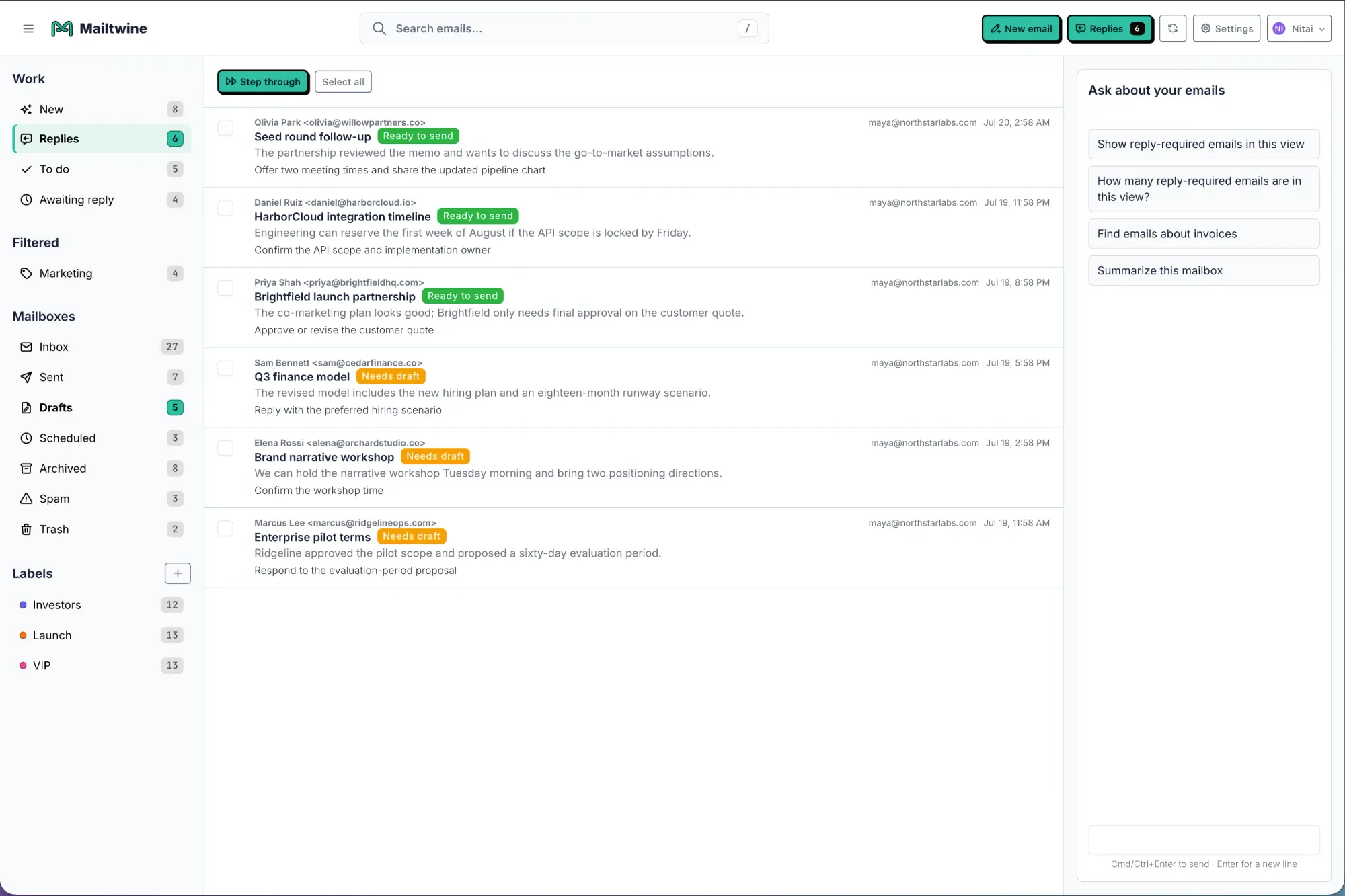
4. SLA handling: Does urgency lead to action?
An "urgent" label is not the same as managing a response deadline. For time-sensitive email, compare how tools surface the next action: the owner, the due time, and the escalation path if nobody responds.
Use a scenario with a clear deadline. For example, a customer reports a service outage while a routine account question arrives in the same mailbox. Can the team distinguish them without scanning every subject line? Does the urgent thread remain visible when it is reassigned or awaiting approval? Who notices if the owner does not act?
Also ask how the tool defines the clock. Your team may need different targets for first response and resolution, or different handling during and outside business hours. Do not assume an SLA-aware queue supports every policy you use. Confirm the settings and escalation behavior with your own example.
5. Mailbox flexibility: Will it work where your email already lives?
A capable workflow tool is a poor fit if adoption requires an unwanted mailbox migration or breaks the team's existing way of working. List every inbox in scope, including shared addresses, provider-specific accounts, and any mailbox used for sending replies.
Mailtwine works with Helpmonks, Fastmail, and standard IMAP mailboxes, and its product materials describe additional provider connections. If Microsoft 365 is essential to your rollout, confirm connection availability and the required setup for your account before making it a purchasing dependency. Ask the same practical questions of every vendor: Will actions stay in sync with the original mailbox? Which address sends the reply? What can teammates still do in their usual email client?
Mailbox support is not just a checklist of provider logos. Test a message arriving, being assigned, drafted, reviewed, and sent through the connection your team will use.
Run a short comparison on your own mail flow
Feature lists often make tools look similar. A small, repeatable trial exposes the differences. Give each shortlisted product the same five tasks:
- Find the urgent thread among routine messages and explain why it was prioritized.
- Assign it to an owner, then reassign it and check what context follows.
- Prepare a sensitive reply and send it through the required review path.
- Show the thread's history, including decisions and the final sent response.
- Check a waiting thread against a response deadline, then inspect how it appears to the owner and manager.
Record whether each task is available, how much manual work it takes, and where someone must switch tools. Involve the people who will triage, approve, and oversee the inbox; they may spot different failure points.
If your team works from multiple providers, run at least one test in each connection that matters. Mailtwine's team inbox management overview explains the broader workflow it is designed to support, but your trial should establish whether that workflow fits your actual mailboxes and handoffs.
The best choice is the one that removes your team's specific bottleneck without hiding responsibility. Choose a drafting assistant if individual reply speed is the main problem. Choose operational inbox management software if messages need to become owned, reviewable, time-aware work.