How AI Helps You Organize Outlook Email
If your Outlook inbox is where work gets stuck, the fix is usually not “more filters.” It is faster triage. An AI email assistant for Outlook helps you sort incoming mail, surface what matters, draft responses, and move routine decisions out of your head.
Microsoft 365 positions Outlook AI features around the same core jobs: organize messages, suggest replies, prioritize important emails, draft emails, and automate tasks like scheduling meetings. That is the right starting point for teams that want less inbox clutter and fewer repetitive email decisions.
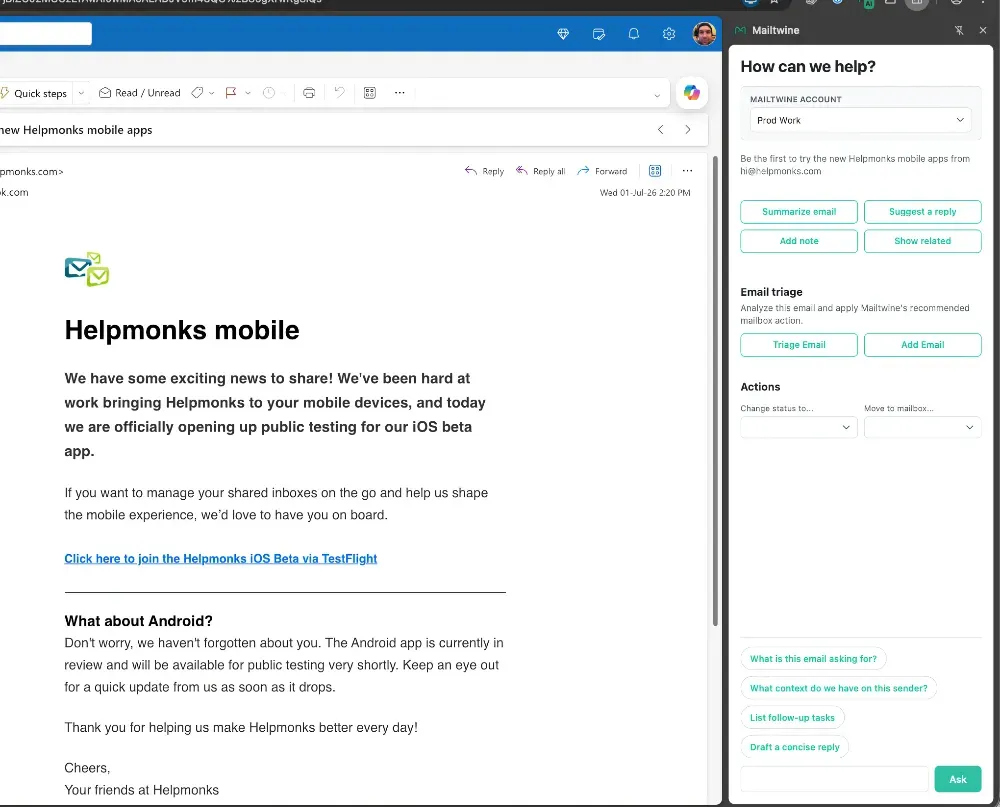
Mailtwine takes that idea and focuses it on email triage. It is an AI email assistant that helps you prioritize, draft, route, and approve messages inside your existing inbox. For Outlook teams, that matters because the goal is not just to generate text. The goal is to clear the queue.
What is an AI email assistant for Outlook?
An AI email assistant for Outlook is software that helps you handle email faster with machine assistance. In practice, that usually means some mix of prioritization, summaries, reply suggestions, drafting, routing, and workflow automation.
For most teams, the value is simple:
- important messages rise faster
- routine replies take less time
- long threads become easier to scan
- approvals stay visible
- inbox work stops living entirely in one person’s memory
That is why “AI email assistant” and “email triage” are so closely related. One describes the category. The other describes the job to be done.
How Outlook AI email tools usually help
Different products emphasize different parts of the workflow, but the useful jobs tend to be the same.
1. Prioritize messages
The first problem in most inboxes is not volume alone. It is uncertainty. You open Outlook and have to decide what needs attention now, what can wait, and what should be handed off.
AI can help by ranking messages based on urgency, sender, topic, or historical patterns. That means less scanning and less second-guessing.
2. Draft replies faster
Many Outlook users do not need a fully written answer. They need a strong first draft. AI can turn a rough intent into a ready-to-review reply, which is especially useful for support, operations, sales, and shared inbox teams.
3. Summarize long threads
Long email chains slow teams down because the decision is buried in the middle of the conversation. An AI email summarizer can pull out the key points, action items, and current status so you can decide faster.
This is especially helpful when you need to choose whether to reply, archive, assign, or defer.
4. Route work to the right person
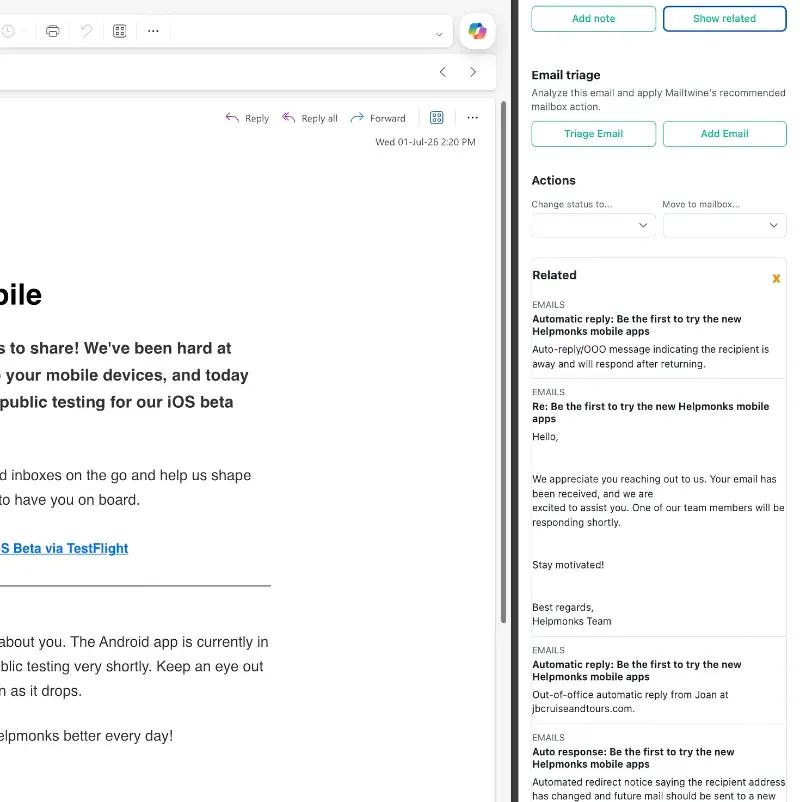
A good assistant should do more than draft text. It should help move messages to the right owner. Routing is where an Outlook assistant starts to look like email workflow automation instead of a writing tool.
5. Support approvals
In many businesses, the right answer is not “auto-send.” It is “prepare the response, then let a person approve it.” That is the difference between automation and control.
Mailtwine is built around that approach. It helps teams keep the final decision where it belongs while letting AI handle the repetitive steps before it.
Why Outlook users need more than a reply generator
A lot of tools marketed as AI for email stop at text generation. That can help, but it does not solve inbox management.
A useful Outlook assistant should do at least four things:
- reduce inbox clutter
- shorten decision time
- keep messages organized
- preserve human approval where needed
Mailtwine focuses on the workflow around the email, not just the sentence inside it. That makes it a better fit for teams that need inbox management software rather than a standalone writing assistant.
How Mailtwine works with Outlook teams
Mailtwine is email triage software built for inbox operations. It already works natively with Helpmonks, Fastmail, and standard IMAP mailboxes, and it is coming soon to Microsoft 365 office accounts.
For Outlook users, the appeal is straightforward: you want AI help without rebuilding the way your team works.
Mailtwine is designed to support that by helping teams:
- prioritize incoming messages
- draft responses more quickly
- route messages to the right person or queue
- keep approval loops visible
- reduce the time spent reopening the same threads
In other words, it acts like an AI inbox management layer for the work already happening inside Outlook.
AI email assistant for Outlook teams: where it fits best
Mailtwine is a strong fit for teams that use Outlook as a working inbox, not just a personal mailbox.
That includes:
- support teams handling shared inboxes
- operations teams managing requests and approvals
- founders and small teams wearing too many inbox hats
- customer-facing teams that need fast but careful replies
- internal teams that route requests between people
If your team’s real problem is triage, Mailtwine fits better than a pure writing tool. If your problem is simply “write a cleaner reply,” a lighter assistant may be enough. If your problem is “our inbox is where work goes to wait,” you need workflow support.
Outlook AI features vs. AI email triage software
The difference comes down to scope.
| Capability | Outlook AI features | Mailtwine |
|---|---|---|
| Prioritizing important email | Yes | Yes |
| Suggesting replies | Yes | Yes |
| Drafting emails | Yes | Yes |
| Summarizing threads | Often | Useful for triage |
| Routing messages | Limited | Core workflow |
| Approval loops | Limited | Core workflow |
| Shared inbox focus | Varies | Strong fit |
| Triage-first design | Sometimes | Yes |
The bottom line is this: Outlook AI features are useful when you want help inside email. Mailtwine is useful when you want a system for managing email work.
How Mailtwine handles the triage loop
A practical Outlook workflow usually has five steps:
- Read the new message
- Decide how important it is
- Draft or route it
- Approve or adjust the response
- Send, archive, assign, or defer
Mailtwine is built to help with the middle of that loop. That is where most of the time disappears.
The product is meant to reduce the manual work around each message so your team can move faster without losing control.
Does an AI email assistant summarize Outlook threads?
It can, and this is one of the most useful features for busy teams. Summarization helps when a thread has too many replies, too much history, or too many people involved.
A good summary should make it easy to answer questions like:
- What is this thread about?
- What has already been decided?
- Who needs to act next?
- Is this ready for a reply, assignment, or close-out?
Mailtwine’s focus on digests and long-thread handling makes summarization a natural part of the triage workflow rather than a separate feature you have to chase down.
What to look for in the best AI email assistant for Outlook
If you are comparing tools, look for these criteria:
- Works with your existing inbox: You should not need a migration just to get started.
- Handles triage, not just drafting: Email work is more than writing.
- Supports approval before sending: Especially for customer-facing or internal requests.
- Can route messages: Shared inbox teams need distribution, not just suggestions.
- Summarizes long threads: This saves time on follow-ups and status checks.
- Fits your mail environment: Outlook support matters if your team lives in Microsoft 365.
- Keeps the workflow simple: Good automation should reduce friction, not add another place to check.
Mailtwine is built around these criteria. That is why it works naturally as email triage software and as an AI email assistant for Outlook teams.
Frequently asked questions
What is Mailtwine?
Mailtwine is AI email triage software that helps teams prioritize, draft, route, and approve email inside their existing inbox.
Does Mailtwine work with Outlook?
Mailtwine is coming soon to Microsoft 365 office accounts. It already works natively with Helpmonks, Fastmail, and standard IMAP mailboxes.
Does an AI email assistant summarize long threads?
Yes, many AI email assistants can summarize threads, and that is one of the most useful features for inbox management. It helps you understand the context quickly before deciding what to do next.
How do approvals work in Mailtwine?
Mailtwine is built so AI can help with the work before sending, while a person keeps control of the final decision. That makes it useful for teams that want automation without losing oversight.
The short version
An AI email assistant for Outlook should do more than suggest a reply. It should help you manage the inbox itself.
Microsoft 365’s Outlook AI features point in that direction with prioritization, drafting, and automation. Mailtwine goes further into email triage, workflow automation, and approval-based inbox operations, which makes it a strong fit for teams that need structure more than shortcuts.
If your Outlook inbox is where work piles up, the next step is not a better habit. It is a better system.