AI Email Generator: Transform Your Email Writing and Inbox Management

An AI email generator can do more than draft a quick reply. For busy teams, it can help triage incoming messages, summarize long threads, suggest next actions, and keep the inbox moving without turning every reply into a manual task.
Mailtwine is built for that broader job. It is a new kind of email triage software that helps companies triage emails automatically with advanced AI features. It works natively with Helpmonks, Fastmail, and IMAP, and it supports Microsoft 365 accounts through Microsoft OAuth.
What is AI email triage?
AI email triage is the process of using AI to sort, prioritize, summarize, and route incoming email so the right messages get handled first. Instead of treating every message the same way, the system identifies what needs attention, what can wait, and what can be handled with a draft or automation rule.
A simple workflow looks like this:
- A message arrives in the inbox.
- AI reads the subject, sender, thread history, and message content.
- The message is labeled, prioritized, or routed to the right place.
- If needed, AI drafts a response or suggests the next step.
- The team handles the highest-value items first.
That matters because most inboxes are not just writing problems. They are workflow problems. People lose time switching between messages, scanning long threads, and figuring out what should happen next.
AI email generator vs. AI inbox management
The phrase “AI email generator” usually makes people think about writing. That is part of it, but not the whole story.
An AI email generator can help with:
- Drafting replies faster
- Rewriting messages for tone or clarity
- Summarizing long threads
- Pulling out action items
- Organizing the inbox so important messages do not get buried
That broader use case is why terms like AI email assistant, intelligent email assistant, and email assistant AI often point to the same buying intent. Users are not just asking, “Can it write an email?” They are also asking, “Can it help me manage the inbox?”
How AI email workflow automation saves time
Writing a polished message takes time. So does deciding what to do with every new thread. AI email workflow automation saves time by handling repetitive inbox work before a person ever opens the message.
Common examples include:
- Auto-labeling: Tag messages by topic, urgency, or sender type
- Follow-up reminders: Surface threads that need a response
- Routing: Send messages to the right team or queue
- Template-based replies: Draft consistent responses for common requests
- Priority sorting: Put urgent or high-value messages at the top
This is useful for support teams, operations teams, and anyone who spends part of the day reacting to incoming email. The goal is not to replace judgment. It is to remove the low-value steps that slow people down.
AI email summarization for long threads
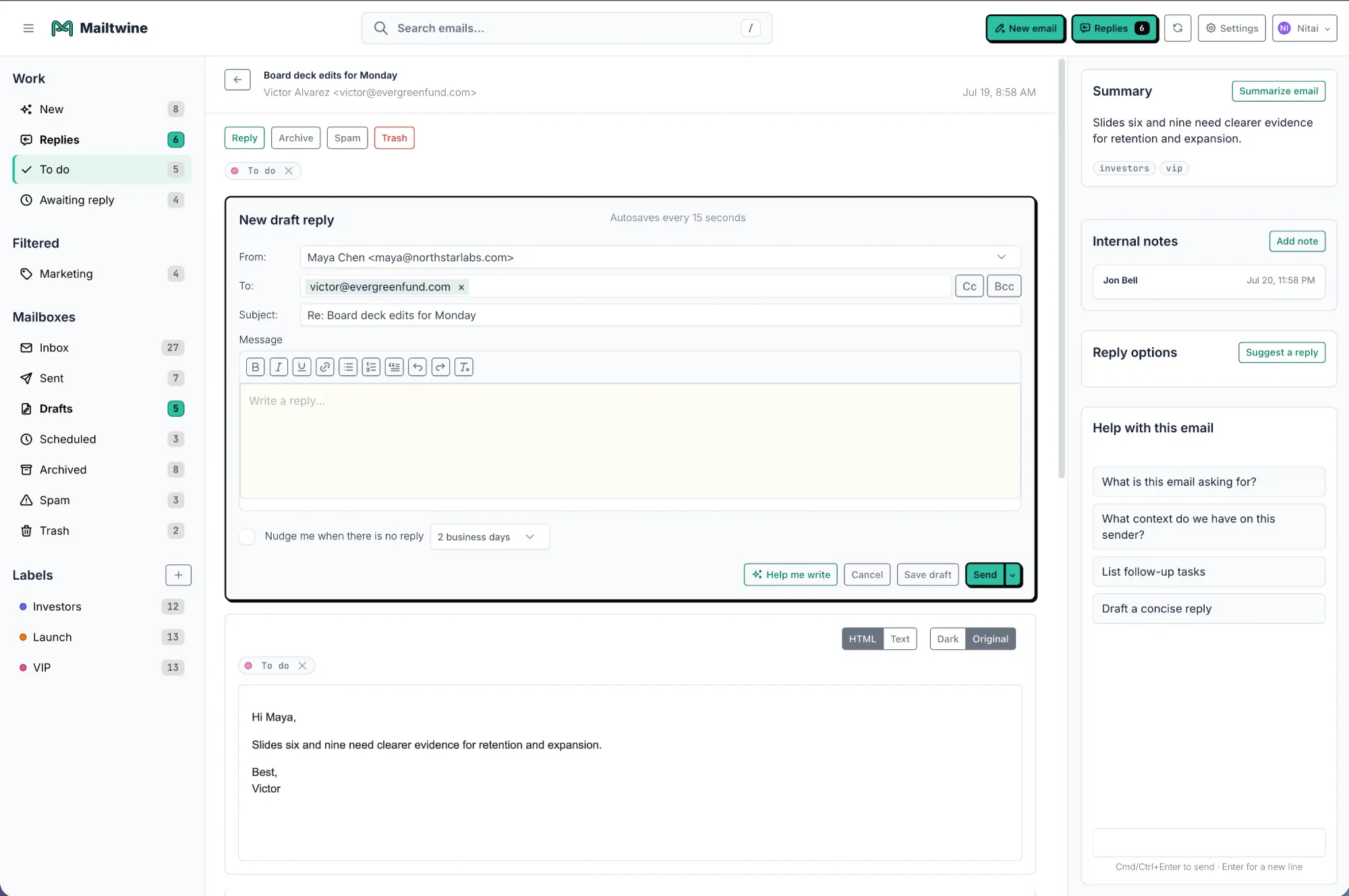
Long email threads are where inbox time goes missing. A good AI email summarizer condenses the conversation into the parts that matter most: who asked what, what changed, and what still needs action.
A useful summary might include:
- A one-paragraph recap of the thread
- The key decision or request
- Open questions
- Action items with owners
- Deadlines or dates mentioned in the thread
For example, a 12-message client thread could be reduced to: “Client approved the revised timeline, asked for a final estimate by Friday, and still needs confirmation on onboarding steps.” That is faster to scan than reading the full chain from the start.
Best AI inbox management software features to look for
If you are comparing AI inbox management software, start with the features that affect daily work, not just the demo.
1. Prioritization
The tool should be able to identify what matters most. That can mean urgent requests, customer issues, billing questions, or messages from key accounts. Without prioritization, AI becomes a writing tool that still leaves the inbox messy.
2. Summarization
Look for clear summaries that capture context, not just a sentence fragment from the thread. Summarization is especially useful when several people are copied on the same discussion.
3. Reply drafting
The best AI email assistant tools help draft a response in the right tone and level of detail. For teams, that means responses should feel consistent, useful, and easy to edit before sending.
4. Rules and automation
Good automation goes beyond “mark as read.” It should help route, label, assign, or nudge messages based on content and context. That is what turns inbox management into a repeatable workflow.
5. Outlook support
If your team lives in Microsoft 365, Outlook support is a major factor. An AI email assistant that works well with Outlook is easier to adopt because it fits the existing workflow instead of forcing a switch.
6. Inbox compatibility
Also check whether the tool works with the email stack you already use. Mailtwine works natively with Helpmonks, Fastmail, and IMAP, and supports Microsoft 365 accounts through Microsoft OAuth.
Does an AI email assistant work with Outlook?
It can, but compatibility depends on the product. If Outlook is your primary inbox, the main question is not whether the assistant sounds smart in a demo. It is whether it fits into your actual mail workflow.
For Outlook users, look for:
- Native or planned Microsoft 365 support
- Easy setup with existing inboxes
- Triage and summarization that work inside the current process
- Automation that does not require constant manual tuning
If your team uses Outlook today, the best choice is usually the tool that reduces inbox work without changing how people already operate.
How to choose the best AI email assistant
If you are comparing tools, use a short checklist before you commit.
- Accuracy: Does it classify and summarize messages correctly?
- Privacy: Are you comfortable with how email data is handled?
- Integration: Does it work with your inbox provider and team stack?
- Summarization quality: Does it highlight action items and context?
- Automation depth: Can it route and organize messages, not just draft replies?
- Ease of use: Will the team actually adopt it?
A good AI email assistant should reduce work in two places: writing and inbox management. If it only helps with one, the time savings may be smaller than expected.
Why AI email management matters for busy teams
Busy inboxes usually fail for the same reason: people spend too much time deciding, and not enough time doing.
AI email management helps teams:
- Respond faster to important messages
- Keep inboxes organized without manual sorting
- Reduce missed follow-ups
- Handle repetitive requests more consistently
- Spend more time on work that needs human judgment
That is why the category keeps expanding beyond simple drafting. Users want an email generator, but they also want an inbox that behaves more like a queue than a pile.
Frequently Asked Questions
What is an AI email generator?
An AI email generator is a tool that helps draft email messages automatically. It can write new messages, suggest replies, and rewrite text for tone or clarity. Many tools now also include inbox management features like prioritization and summarization.
Can an AI email summarizer condense long threads and highlight action items?
Yes. A strong AI email summarizer should reduce a long thread into the main decision, open questions, and next steps. This is useful when multiple people are copied in, because it saves time and makes follow-up easier.
What is the difference between an AI email assistant and AI email management?
An AI email assistant usually focuses on writing help, like drafting or rewriting messages. AI email management is broader. It includes triage, prioritization, routing, summarization, and workflow automation.
Does Mailtwine support Microsoft 365 and Outlook?
Mailtwine supports Microsoft 365 accounts through Microsoft OAuth. It already works natively with Helpmonks, Fastmail, and IMAP. If Outlook is part of your stack, it is worth checking the current integration status before rollout.
Is an intelligent email assistant the same as email assistant AI?
Yes, in most searches those phrases refer to the same general idea: AI software that helps write, organize, and manage email. The wording changes, but the intent is usually about faster replies and a cleaner inbox.
Putting the inbox to work
The best AI email tools do not just generate text. They help people decide faster, reply faster, and clear work out of the inbox with less effort.
If your team is dealing with long threads, repeated follow-ups, and too much sorting, AI email management is the bigger win. Writing help matters, but triage, summarization, and automation are what make the inbox usable again.
Mailtwine is built for that workflow, with native support for Helpmonks, Fastmail, and IMAP, plus Microsoft 365 support through Microsoft OAuth.





