Best AI Email Assistant: How to Choose the Right One

The best AI email assistant is the one that helps you handle real inbox work without creating new cleanup work later. If you are comparing tools, focus on whether they can classify messages correctly, protect sensitive data, connect to the mailbox you already use, and reduce the time spent on sorting, routing, and replying.
For teams that live in shared inboxes, the right choice is usually less about flashy writing features and more about triage quality. Mailtwine is built for that layer of work. It helps companies automatically triage email with AI, and it works natively with Helpmonks, Fastmail, IMAP, and Microsoft 365 accounts.
What makes an AI email assistant worth using?
An AI email assistant should do more than suggest replies. It should help you decide what matters, what can wait, and who should handle each thread.
That usually means six things:
- It identifies urgent messages with enough accuracy to trust.
- It handles private or customer data in a way your team can accept.
- It fits your current inbox workflow instead of forcing a migration.
- It supports the mail providers your team actually uses.
- It summarizes long threads without losing the point.
- It automates repetitive actions without taking over decisions you want humans to own.
If a tool misses on any of these, the time saved in one place often comes back in another.
How to choose the best AI email assistant
Use this checklist when you compare tools side by side.
1. Accuracy: does it sort the right messages first?
Accuracy is the first filter because everything else depends on it. If the assistant mislabels urgent customer issues, hides sales replies, or surfaces low-value mail ahead of high-value mail, your team stops trusting it.
Look for support for:
- Priority detection based on urgency, sender, topic, or SLA
- Clear classification into categories you can review
- Consistent results across busy inboxes, not just simple demo threads
- Human review before important actions are sent
A good test is to feed the tool a mix of real threads: support requests, internal notes, follow-ups, newsletters, and high-priority escalation mail. The best systems should place the important threads at the top without overreacting to every message marked “urgent.”
2. Privacy: can you trust it with sensitive email?
Email often contains customer data, internal plans, contracts, and personal details. That makes privacy a product feature, not a legal checkbox.
Before you buy, ask:
- What data does the assistant read?
- How is it stored?
- Is it used to train models outside your account?
- Can admins control access and permissions?
- Does it fit your compliance expectations?
If the vendor cannot explain how it handles mailbox data in plain language, that is a warning sign. For shared inboxes in particular, privacy and control matter as much as speed.
3. Integration: does it work with your actual inbox stack?
A strong AI email assistant should fit your current workflow, not force a mailbox migration just to try it.
Check whether it connects cleanly to:
- Your email provider
- Shared inbox tools
- Browser-based workflows
- Existing routing or help desk processes
- Team permissions and approval steps
Mailtwine is built around that idea. It works natively with Helpmonks, Fastmail, and IMAP, so teams can keep the mailbox they already use instead of rebuilding everything around a new system.
4. Gmail and Outlook support: does it cover the inbox your team lives in?
This matters because many teams split across Gmail and Outlook, or plan to move between them later. The best AI email assistant should match your mailbox reality today and still make sense if your stack changes.
When you compare tools, check:
- Gmail support
- Outlook support
- Microsoft 365 support
- Browser or extension-based workflows
- Whether the product treats each provider as a first-class integration or a side note
If your team is on Microsoft mail, it is worth asking whether the product has native Microsoft 365 support now or only a roadmap promise. Mailtwine supports Outlook.com and Microsoft 365 through Microsoft OAuth, so teams can connect their existing Microsoft accounts.
5. Summarization: can it turn long threads into something usable?
Summarization is useful only if it captures the decision, not just the latest message. Good summaries should tell you:
- What the thread is about
- Who needs to act
- What was already decided
- What the next step is
This becomes especially important for support teams, sales teams, founders, and anyone handling long back-and-forth threads. A bad summary sounds clean but misses context. A good one helps you act faster without rereading everything.
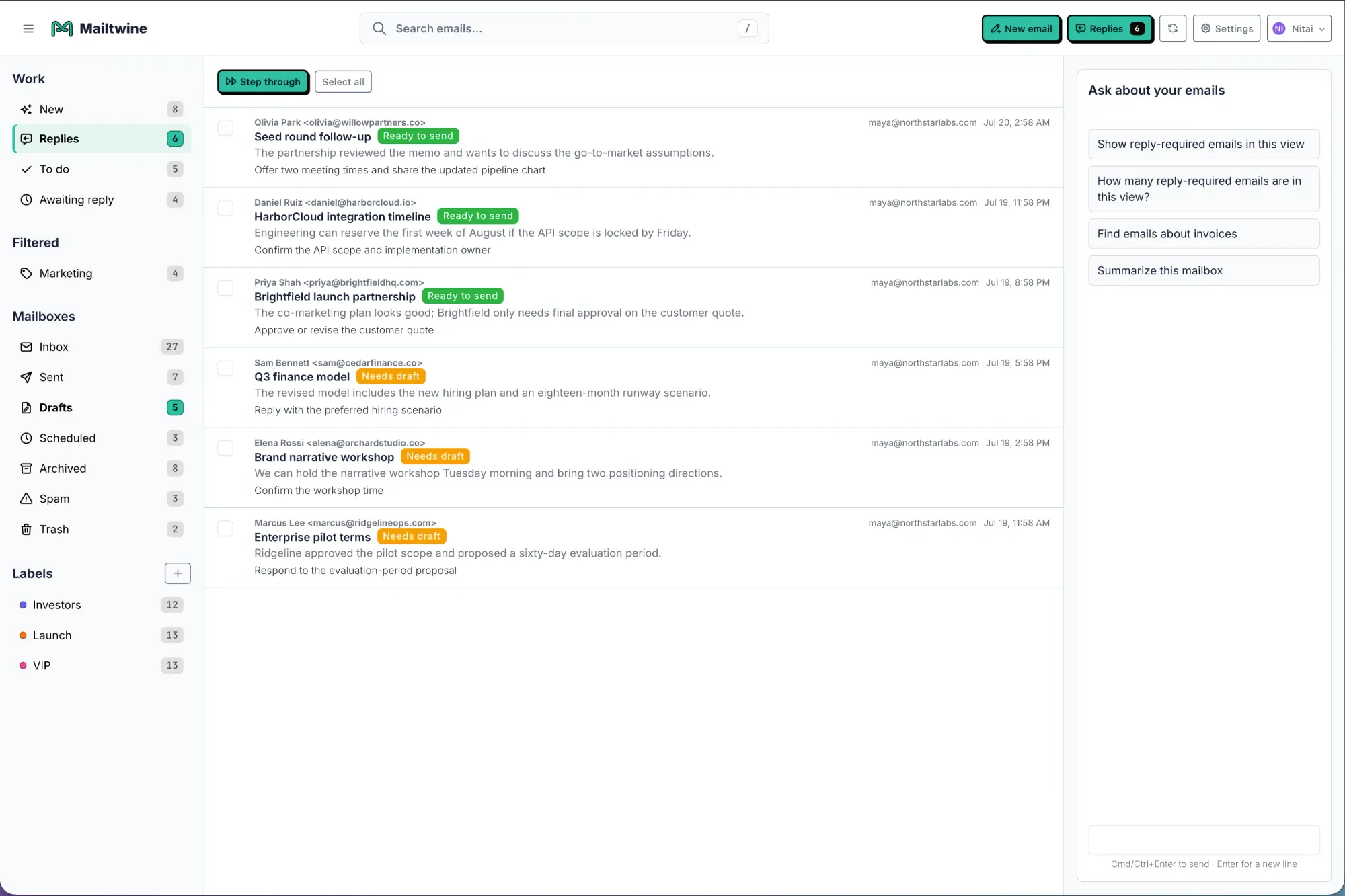
6. Automation depth: does it only suggest, or can it actually help?
Many AI email tools stop at drafting. That is useful, but it is not enough for inbox operations that need routing, approval, escalation, and cleanup.
Compare the depth of automation:
- Can it classify messages automatically?
- Can it route messages to the right person?
- Can it prepare drafts for review?
- Can it escalate specific types of threads?
- Can it keep actions tied to the original thread?
The best AI email assistant usually sits in the middle of your workflow, not at the edge. It should reduce the number of manual decisions per inbox pass, not just add a writing assistant on top of an already full queue.
A simple comparison checklist
Use this table while evaluating vendors.
| Criteria | Questions to ask | What good looks like |
|---|---|---|
| Accuracy | Does it rank urgent mail well? Does it misclassify often? | Reliable prioritization with low review overhead |
| Privacy | How is mailbox data handled? Can admins control access? | Clear policy, strong controls, and no vague answers |
| Integration | Does it work with your current tools? | Native or low-friction connection to your stack |
| Gmail / Outlook support | Does it support the mailbox you use today? | Full support for your provider, not a partial workaround |
| Summarization | Does it preserve decisions and context? | Short summaries that help you act fast |
| Automation depth | Can it route, draft, and escalate? | Real workflow automation, not just reply suggestions |
If a tool scores well in only one category, it is probably a point solution. If it scores well in all six, it is closer to an inbox operating system.
How Mailtwine fits this evaluation
Mailtwine is designed for teams that want AI to handle the triage layer first. It helps sort incoming email automatically, so busy inboxes become clearer action queues.
That makes it a strong fit when your main problem is not writing email from scratch. It is the work around email that eats time: classification, prioritization, routing, and approval. Mailtwine works natively with Helpmonks, Fastmail, and IMAP, and supports Microsoft 365 through Microsoft OAuth.
If you are comparing tools for a shared inbox, the practical question is whether the assistant can keep the thread moving without losing control. Mailtwine’s focus on triage, approval, and routing makes it useful for teams that need structure, not just drafting help.
For a deeper look at the workflow it supports, see the related guide on How to Triage Email with AI.
Questions to ask before you commit
If you are evaluating a shortlist, ask these questions during the trial:
- What happens when the AI is unsure?
- Can I review or override every action?
- How does it handle long or sensitive threads?
- What integrations are native today?
- Does it support my current mailbox, especially if I use Fastmail, Helpmonks, IMAP, Gmail, or Outlook?
- How much of the inbox work does it automate, really?
- Can it grow from one user to a team workflow?
These questions reveal whether the product is built for real inbox operations or only for demo-quality tasks.
Frequently Asked Questions
What is the best AI email assistant for team inboxes?
The best AI email assistant for team inboxes is the one that improves triage, routing, and review without forcing a workflow change. Look for strong prioritization, privacy controls, support for your mail provider, and automation that still keeps humans in the loop.
Should I choose an AI email assistant based on writing quality alone?
No. Writing quality matters, but it is only one part of the job. If the tool cannot sort, summarize, and route messages correctly, better draft suggestions will not fix the inbox problem.
Why does Gmail or Outlook support matter so much?
It matters because inbox tools only work if they fit the mailbox your team already uses. A product with weak provider support often creates migration friction, broken habits, or limited automation.
What is the biggest mistake people make when evaluating AI email tools?
They test the reply generator and ignore the triage layer. The real time savings usually come from accurate classification, prioritization, and routing, not from drafting a few messages faster.
The best AI email assistant is the one your team will actually trust every day. If your inbox work depends on accuracy, privacy, provider support, and meaningful automation, start there and compare the rest around it.




