8 Best AI Email Assistants: Free Options Compared
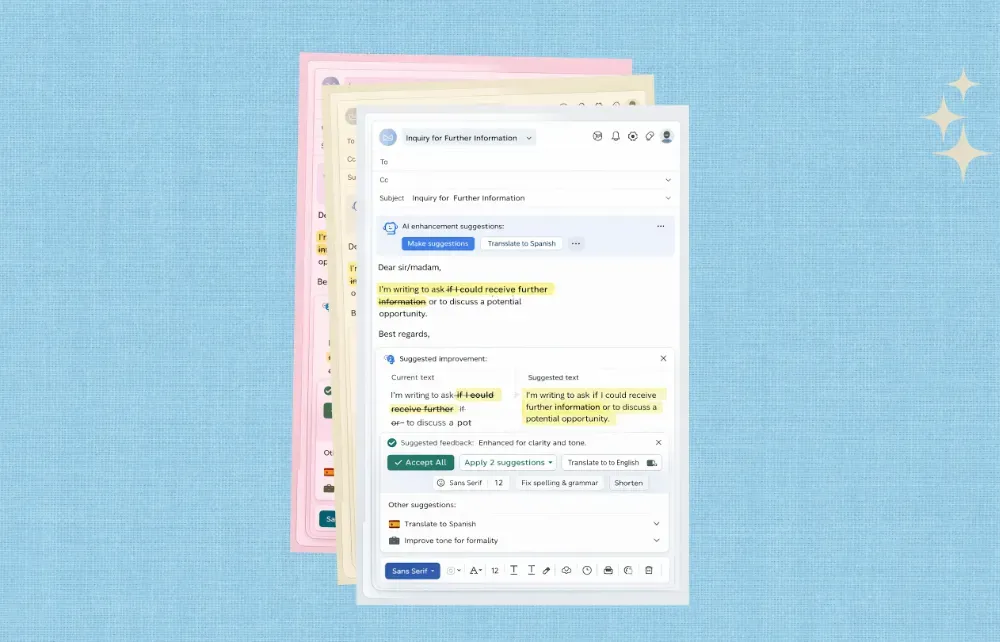
If your inbox is full of messages that need different kinds of attention, an AI email assistant can help sort the pile faster. The useful tools do more than suggest replies. They help you prioritize, summarize, route, draft, and keep work moving without forcing a mailbox migration.
That matters because most email tools only solve part of the problem. A drafting assistant can help you write faster, but it does not decide what should be answered first. A triage system does both. Mailtwine is built around that broader workflow, which is why this guide focuses on tools that help with real inbox management, not just copy generation.
What an AI email assistant should do
An AI email assistant should reduce inbox work, not add another layer of manual sorting. In practice, that means it should help you:
- identify high-priority messages
- summarize long threads
- draft replies for review
- route emails to the right person
- support approvals or human sign-off where needed
That is the difference between a writing helper and email triage software. If you want the workflow behind it, see How to Triage Email with AI and What is AI email triage?.
According to the HeroThemes roundup, users are looking for assistants that can automatically filter low-priority email, draft responses, summarize long threads, and remind people to follow up. Those are the right capabilities to compare, but the best fit depends on whether you need writing help, personal productivity, or team-level inbox operations.
8 best AI email assistants
1. Mailtwine
Mailtwine is an AI email triage platform built for teams that need to classify incoming email automatically, prioritize what matters, route threads to the right owner, and prepare drafts for approval. It is strongest when inbox work is operational, not just personal.
Use Mailtwine if you need AI inbox management that covers the full loop: classify, prioritize, summarize, route, draft, and escalate. It works natively with Helpmonks, Fastmail, Google, and IMAP, and it is also built for Microsoft 365 support. For Outlook users, see AI Email Assistant for Outlook and Outlook Email Triage.
Best for: support teams, sales teams, founders, operations, and shared inboxes
Why it stands out: triage-first workflow, approvals, inbox compatibility, no mailbox replacement
2. Microsoft Outlook AI features
Outlook's AI features are useful if your team already lives inside Microsoft 365 and wants lighter-weight help with organization, prioritization, and drafting. It is a natural starting point for users searching for an AI email assistant Outlook option.
The limitation is scope. Outlook AI features can help with the inbox, but they are not the same as a dedicated triage system. If your team needs routing, approvals, or cross-inbox workflow control, Mailtwine is the more operational choice. That distinction is worth keeping in mind if you are comparing AI email assistants for team use.
Best for: Microsoft 365 users who want built-in assistance
Good for: drafting and inbox organization
3. Generic AI writing assistants
A generic AI writing assistant can speed up email drafting, especially for one-off replies, follow-ups, and polish. If your only goal is to write better email faster, that may be enough.
But writing help is not inbox management. These tools usually stop at generation. They do not classify the inbox, assign ownership, or manage approvals across a team. If you want a tool for email workflow automation, this category is usually incomplete.
Best for: drafting help
Not ideal for: shared inboxes, routing, triage, and team approvals
4. AI inbox management tools
This category sits closer to Mailtwine because it focuses on the inbox itself instead of just the message text. The best tools here help teams decide what matters first, summarize threads, and move work to the right owner.
If you are comparing AI inbox management software, look for routing logic, approval controls, native inbox support, and clear visibility into what the system is doing. Many tools talk about automation, but fewer support the full triage loop without forcing a migration.
Best for: teams with high inbox volume
Watch for: whether it actually routes work or just drafts replies
5. AI email summarizers
Summarizers are useful when your bottleneck is reading, not replying. They compress long threads into something shorter, so you can see the topic, status, decisions, and next steps faster.
That said, a summarizer alone is only one part of the system. It is most valuable when it feeds triage. Mailtwine treats summarization as one step in the workflow, not a separate feature. For a deeper look, see AI Email Summarization: How to Turn Long Threads Into Clear Action Items.
Best for: long threads, status updates, and busy support queues
Limit: does not usually route or approve work
6. AI prioritization tools
Priority tools help surface urgent messages first. That is useful for founders, support leads, and anyone who needs to spot VIPs, deadlines, and customer issues quickly.
The strongest versions do more than sort by sender or keyword. They use context to decide what deserves attention now and what can wait. If prioritization is your main need, Email Prioritization Tool explains how Mailtwine approaches that layer of the workflow.
Best for: inboxes with too many messages to scan manually
Useful when: urgency and ownership matter more than volume
7. Gmail-focused AI triage tools
If your team works mainly in Gmail, a Gmail-specific assistant can be a practical starting point. The appeal is speed and simplicity. You can often connect it quickly and start reducing inbox clutter right away.
The downside is portability. If the tool only works well in one mailbox environment, it may not scale across shared inboxes or mixed-provider teams. Mailtwine is designed to work across inboxes, not trap teams in one email system. For Gmail-specific workflows, see Gmail Email Triage.
Best for: Gmail-heavy teams
Consider: whether the tool can handle routing and approvals too
8. Lightweight follow-up and reminder assistants
Some AI email assistants focus on follow-up reminders, nudges, and basic automation. These can help individuals avoid dropped threads and missed replies.
They are useful, but limited. If your inbox needs a real process, reminders alone will not solve it. The better question is whether the tool can turn the inbox into a queue of actions. That is the bigger shift Mailtwine is designed for.
Best for: personal follow-up habits
Not enough for: team inbox operations
What to look for in the best AI email assistant
If you are choosing between tools, use this checklist:
- Prioritization: Can it surface urgent messages automatically?
- Summaries: Does it shorten long threads into useful action items?
- Routing: Can it send messages to the right person or queue?
- Approvals: Can humans review drafts before anything is sent?
- Inbox compatibility: Does it work with your existing mail setup?
- Team fit: Is it built for individuals, or for shared workflows?
For teams, the last three matter the most. A good assistant should support email workflow automation without removing human control. It should also fit the inbox you already use instead of asking you to rebuild everything around a new mailbox.
Comparison table: AI email assistants vs inbox tools
| Tool type | Main strength | Main limitation | Best for |
|---|---|---|---|
| Mailtwine | Triage, routing, summaries, approvals | More operational than a simple writer | Teams with shared inboxes |
| Outlook AI features | Built into Microsoft 365 | Limited workflow depth | Microsoft users who want native help |
| Generic AI writing assistants | Fast drafting | No inbox management | Writing better emails faster |
| AI email summarizers | Shorter threads | No routing or ownership | Reading-heavy inboxes |
| Lightweight reminder tools | Follow-up nudges | No full triage system | Personal inbox hygiene |
Bottom line: If you need help writing faster, a drafting assistant may be enough. If you need to manage a busy team inbox, choose a tool that handles prioritization, routing, summaries, and approvals together.
Which AI email assistant is best for free users?
Free options are usually best when you want to test the core experience before committing. They work well for personal inboxes or small teams that need basic help with drafting, summaries, or prioritization.
If you are evaluating free tools, pay attention to the usage cap, the inbox connections supported, and whether the free plan includes team workflow features. A free drafting tool can be helpful, but it will not replace a triage system if your inbox is a shared operational surface.
Mailtwine offers a free-start path, which makes it a strong option for teams that want to test AI inbox management on their real mail flow instead of in a demo sandbox.
Final take
The best AI email assistant is not the one that writes the nicest draft. It is the one that helps you move email from incoming noise to clear action.
For individuals, that may mean faster replies or shorter summaries. For teams, it usually means triage, routing, and approval workflows. That is where Mailtwine fits best. It is built for inboxes that need a system, not just a helper.
If that sounds like your workflow, start with How to Triage Email with AI or go straight to Email Triage Software.
Frequently Asked Questions
What does an AI email assistant do?
An AI email assistant helps manage email faster by prioritizing messages, drafting replies, summarizing long threads, and sometimes routing work to the right person. The best tools go beyond writing help and support the inbox workflow itself. For teams, that usually means human review, approvals, and clear ownership.
What is the difference between an AI email assistant and email triage software?
An AI email assistant usually focuses on helping you write or organize messages. Email triage software focuses on the full inbox workflow: classify, prioritize, summarize, route, draft, and approve. Mailtwine is built around triage first, so it is a better fit when the inbox is a team process rather than a personal writing task.
Is there an AI email assistant for Outlook?
Yes. Outlook includes AI features, and Mailtwine also supports Outlook and Microsoft 365 workflows. If you want a broader comparison, the best choice depends on whether you only need drafting help or need routing, summaries, and approval-based triage too.
Can AI email assistants send messages without approval?
Some can, but many teams should not allow that by default. A safer setup is draft-first, then human approval. That keeps the speed benefit of AI while reducing the risk of sending the wrong response or routing a sensitive thread incorrectly.
Which inbox systems does Mailtwine support?
Mailtwine works natively with Helpmonks, Fastmail, and IMAP, and it is designed for Microsoft 365 support as well. That makes it a strong option for teams that want AI inbox management without replacing their existing mailbox.





