Email assistant AI: what the different labels mean and how Mailtwine fits
People search for the same thing in a few different ways: "email assistant AI," "intelligent email assistant," "AI for email management," "AI email assistant," and "AI email triage." The labels change, but the job is usually the same: help an inbox team decide what matters, who owns it, and what happens next.
If you are trying to compare tools or clean up duplicate content on a website, the useful move is not to treat each phrase as a different product category. For Mailtwine, they all point to one core solution: AI-powered email triage and workflow handling for real mailboxes.
What these phrases usually mean
Here is the short version:
- Email assistant AI usually means software that helps with inbox tasks like sorting, summarizing, drafting, or routing.
- Intelligent email assistant usually implies the same thing, but with more emphasis on context awareness and automation.
- AI for email management is the broadest phrase. It can include triage, summaries, reply help, prioritization, assignment, and workflow automation.
- AI email assistant is often used for products that help an individual user work faster.
- AI email triage is the more operational phrase. It focuses on classifying, prioritizing, and moving messages into the right next step.
Those phrases overlap heavily in search intent. In practice, most users are asking one of two questions:
- "Can this tool help me handle email faster?"
- "Can this tool help a team manage shared inbox work with less manual sorting?"
Mailtwine is built for the second question, while still covering the first.
The core idea behind Mailtwine
Mailtwine is a new kind of email triage software that helps companies automatically triage emails with advanced AI features. It works natively with Helpmonks, Fastmail, IMAP, Google, and Microsoft 365 Office accounts.
That matters because many "email assistant" products stop at writing help. They can draft a reply or summarize a thread, but they do not always turn the inbox into a workable queue.
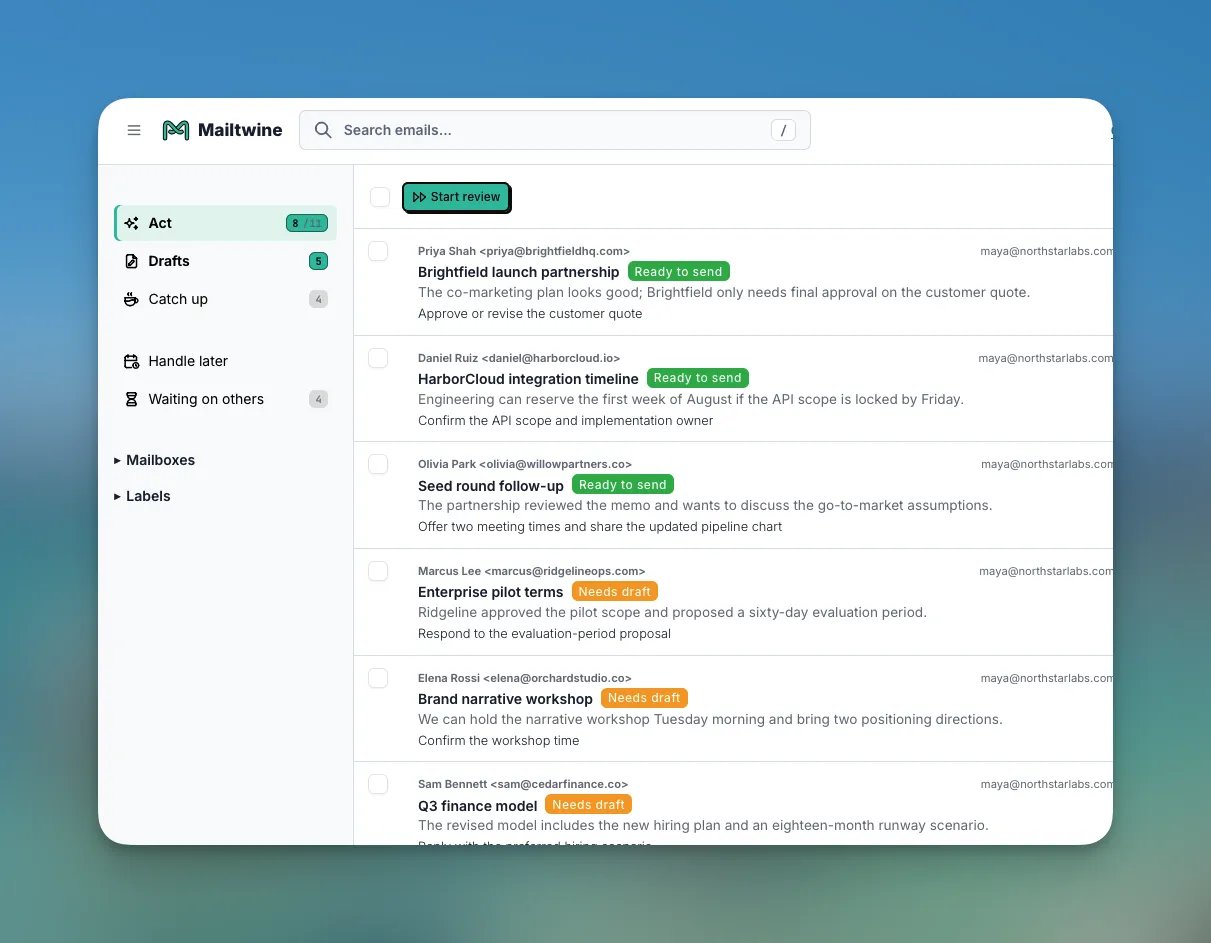
Mailtwine is closer to an operational layer. It helps teams:
- classify incoming mail
- prioritize urgent messages
- route work to the right person or team
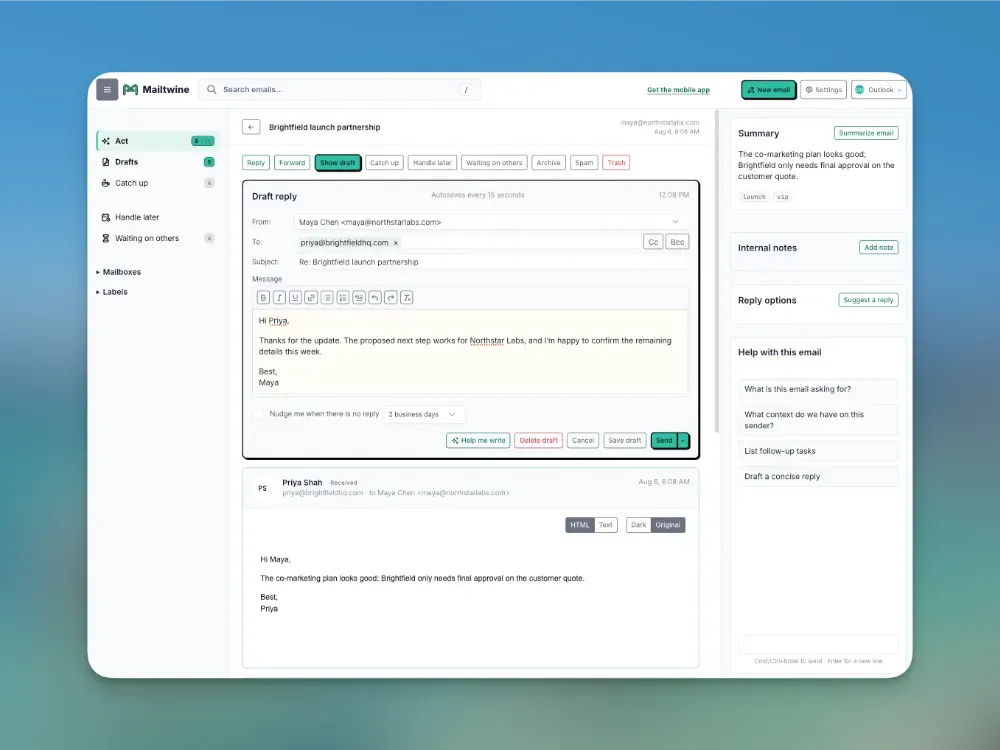
- summarize long threads into next steps
- support approvals and controlled handoffs
- keep work inside the mailbox they already use
If you want the broader workflow view, see How to triage email with AI and What is AI email triage?.
Why one keyword often means several user jobs
Searchers do not always know the exact term they want. Someone typing "intelligent email assistant" might be looking for:
- a smarter drafting tool
- an AI inbox sorter
- a shared inbox workflow system
- an Outlook assistant
- a team email automation layer
That is why semantic coverage matters. The page should help readers map the language they use to the actual job they need done.
For Mailtwine, the shared theme is not just "AI that touches email." It is "AI that helps email move."
That means the tool has to do more than generate text. It needs to understand context, preserve thread history, and expose the next action. If it does not show the next step, it will not help much with triage.
For more on the difference between AI help and full workflow handling, read What is an email command center? and Email automation for busy teams: what it is and how it works.
A simple glossary for related phrases
Use this as a quick mapping guide.
Email assistant AI
A general term for AI software that helps manage email tasks. In many cases, this includes drafting, summarizing, sorting, or suggesting actions.
Intelligent email assistant
Usually a marketing phrase for an email assistant that understands context better than simple rules or filters. It often implies prioritization or workflow support.
AI email assistant
A common umbrella term for tools that help people work through email faster. The best versions do more than draft replies. They help with triage and routing too.
AI for email management
The broadest phrase. It can include personal inbox help, team inbox handling, summarization, prioritization, automation, and approval flows.
AI email triage
The most operational phrase. It focuses on the first pass through the inbox: identify what the message is, who should handle it, and what should happen next.
Email triage software
Software that turns an inbox into a managed queue. In Mailtwine's case, that means AI-assisted classification, prioritization, routing, and approvals.
Inbox management software
A wider term that may include email triage, assignment, follow-up, and team workflows. It usually suggests a system rather than a simple assistant.
How Mailtwine fits each intent
If a user lands on this topic page, they may be comparing terms before choosing a solution. Here is the practical translation.
If they want an "email assistant AI"
They are usually looking for help with repetitive inbox work. Mailtwine does that, but it is designed for teams that need structure, not just writing help.
If they want an "intelligent email assistant"
They probably want context-aware behavior. Mailtwine uses AI to classify, prioritize, summarize, and route messages based on what the email actually means, not just the subject line.
If they want "AI for email management"
They are usually thinking broadly. Mailtwine covers that broader set of tasks, but it stays focused on inbox operations rather than trying to be a general productivity app.
If they want "AI email triage"
They are close to Mailtwine's core use case. Triage is the point where the inbox stops being a pile of messages and starts becoming an action queue.
What makes Mailtwine different from a basic assistant
A basic email assistant often helps one person move faster. Mailtwine is built for team inboxes where speed matters, but ownership matters too.
That means it is more useful when the workflow needs:
- clear priority
- explicit ownership
- approval before sending
- consistent routing
- visible thread state
- shared handling across providers
Mailtwine works natively with Helpmonks, Fastmail, IMAP, Google, and Microsoft 365. It also integrates with the mailbox you already use, which makes adoption easier than rebuilding the process around a new inbox.
If you're comparing tools, these pages can help:
- AI inbox management software comparison: how to choose the right tool for your team
- Mailtwine vs Shortwave
- Mailtwine vs Fyxer
- Mailtwine vs Superhuman
- Mailtwine vs Inbox Zero
When each phrase points to the same solution
You can usually treat these search phrases as one topic cluster when the underlying job is inbox handling:
- sorting messages by urgency
- summarizing long threads
- assigning ownership
- drafting replies for review
- routing to the right teammate
- reducing manual inbox scanning
That is why a user searching for "email assistant AI" may still be a fit for Mailtwine, even if they never use the word "triage."
The keyword may change, but the workflow need is the same: turn email from unread volume into clear action.
A quick decision rule
Use this rule of thumb:
- If the user wants help writing messages, they are looking for a lightweight AI email assistant.
- If the user wants help understanding messages, they are looking for an intelligent email assistant or AI email management.
- If the user wants help moving messages through a shared inbox, they are looking for AI email triage or inbox management software.
Mailtwine sits in the third group, while still covering the first two where they support the workflow.
Frequently Asked Questions
Is "email assistant AI" the same as "AI email assistant"?
Yes. People use both phrases to mean the same general category of software. The wording changes, but the intent is usually the same: an AI tool that helps manage email tasks faster.
Is an "intelligent email assistant" different from AI email management?
Not really in search intent. "Intelligent email assistant" usually suggests a smarter assistant experience, while "AI email management" is broader and can include triage, routing, summarization, and automation.
What is the best phrase for team inbox workflows?
"AI email triage" or "inbox management software" usually matches team workflows best. Those terms signal that the tool does more than draft replies. It helps decide priority, ownership, and next action.
Does Mailtwine support email assistant use cases and triage use cases?
Yes. Mailtwine supports the assistant layer, like summaries and drafting, but it is built around triage and workflow handling. That makes it a better fit for teams that need a managed inbox rather than just a writing helper.
Bottom line
"Email assistant AI," "intelligent email assistant," and "AI for email management" are mostly different ways of describing the same broad category. The important distinction is not the label. It is whether the product helps a user write faster or helps a team move email into action.
Mailtwine is built for the second job. It helps teams triage, prioritize, route, summarize, and approve email inside the mailbox they already use, with native support for Helpmonks, Fastmail, IMAP, Google, and Microsoft 365.
If your search starts with "assistant," but your real problem is inbox work that keeps piling up, Mailtwine is the email assistant AI behind the label.