8 Best AI Email Assistants: How to Choose the Right One for Teams and Individuals

Most "best AI email assistant" lists blur two very different jobs together: helping one person write faster, and helping a team move email through an actual workflow. If you are trying to choose software, that distinction matters more than the feature count.
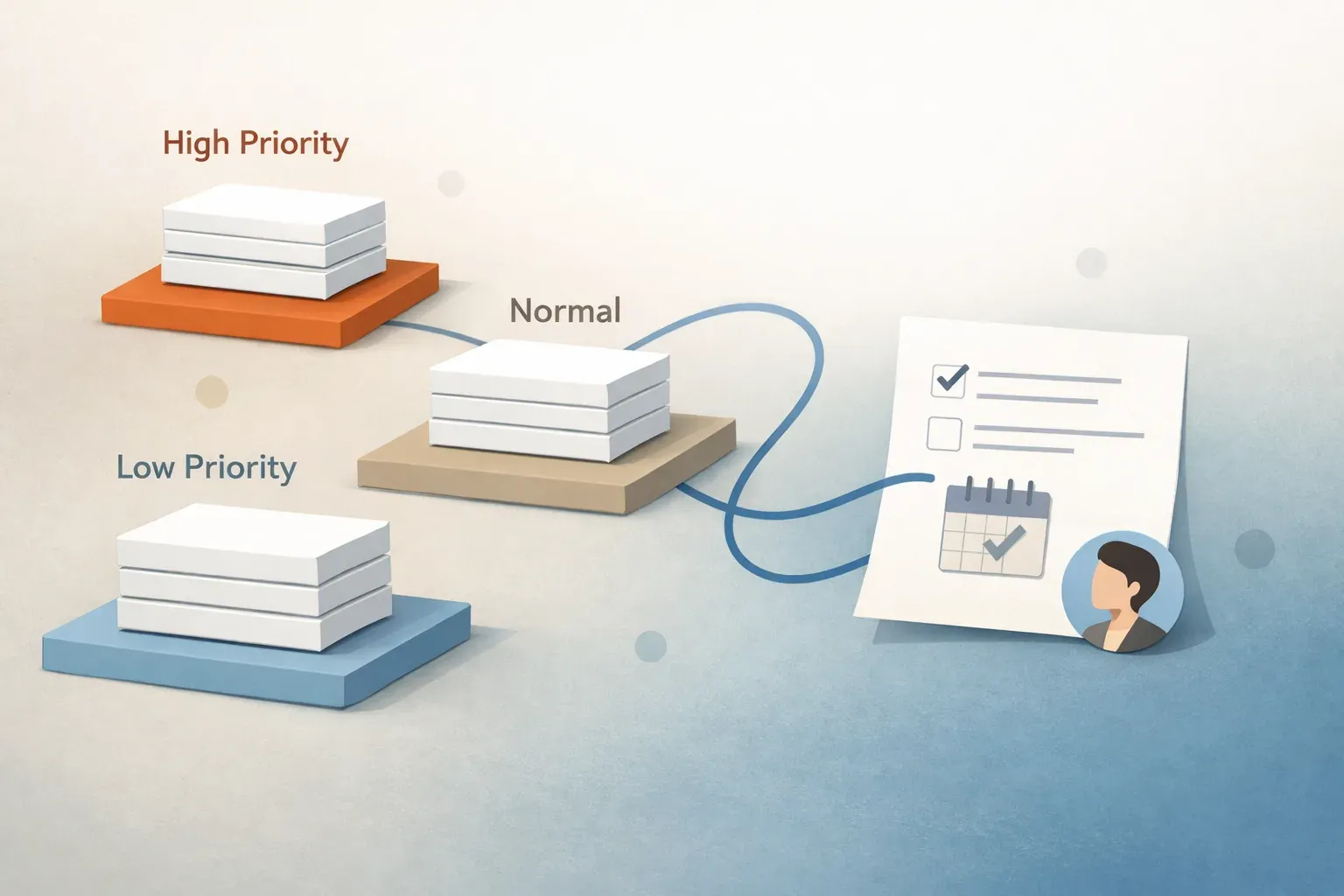
A drafting assistant can save time on replies. A workflow system can classify, prioritize, route, summarize, and approve email so the inbox becomes an action queue instead of a pile of unread messages. Mailtwine is built for the second job, which is why this guide separates personal assistants from operational inbox tools before it gets into recommendations.
What makes an AI email assistant "the best"?
The best AI email assistant depends on the work you need done.
If you mainly want help writing, the right tool should speed up drafting, summarize threads, and make responses easier to send. If you manage a shared inbox, the better choice is usually software that can triage incoming mail, assign ownership, route requests, and keep approval steps visible.
Here is the evaluation framework that matters most:
- Drafting: Can it write or rewrite replies quickly?
- Summarization: Does it turn long threads into useful next steps?
- Triage: Can it identify urgency, topic, and intent?
- Routing: Can it send messages to the right person or queue?
- Approvals: Can humans review before replies go out?
- Mailbox support: Does it work with the mail system you already use?
- Team fit: Is it built for one user or a shared workflow?
If those questions sound operational, you probably need more than an email writer.
Best AI email assistants at a glance
| Tool type | Best for | Strengths | Main limitation |
|---|---|---|---|
| Drafting assistant | Individuals who want faster replies | Reply drafting, tone help, quick edits | Usually stops at writing |
| Summarizer | People buried in long threads | Thread summaries, action-item extraction | Often does not manage the workflow |
| Personal inbox helper | Solo users | Lightweight sorting and response help | Limited team controls |
| Workflow system | Shared inbox teams | Triage, routing, approvals, auditability | More than some solo users need |
Bottom line: If your inbox is personal, a drafting assistant may be enough. If your inbox is a shared queue, you need a system that handles ownership and movement, not just language generation.
1. Mailtwine
Mailtwine is an AI email triage and inbox workflow tool for teams that need more than reply help. It works with Helpmonks, Fastmail, IMAP, Microsoft 365, and Google accounts, and it is built around the full triage loop: classify, prioritize, summarize, route, draft, escalate.
That makes it a strong fit when the inbox is not just communication, but operations.
What Mailtwine does well
- Classifies incoming mail so the first pass is faster
- Prioritizes urgent messages instead of relying on manual scanning
- Routes work to the right person or team
- Summarizes long threads so action is easier to see
- Supports approvals before replies or next actions go out
- Works across mixed mailbox environments without forcing a migration
Why teams pick it
Many AI email assistants stop at drafting. Mailtwine is built for inboxes where the real problem is deciding what needs attention, who owns it, and what happens next. That is why it fits support teams, operations teams, and mixed-mailbox teams that need shared accountability.
Best for
- Teams that manage recurring requests
- Shared inboxes with triage and approval steps
- Organizations that use multiple mail providers
- Teams that want AI email management, not just a writing helper
Why Mailtwine is built to be one of the best AI email assistants: It focuses on outcomes that matter in real work, such as fewer missed handoffs, clearer ownership, and faster movement from inbox to action. That is a different promise from "write better emails faster."
Start here: How to triage email with AI and AI email triage for Outlook and Microsoft 365
2. Outlook AI assistant tools
If your team lives in Outlook or Microsoft 365, Outlook-native AI features are worth evaluating because setup and adoption are easier when people stay in the mailbox they already use.
A good Outlook assistant should do more than help with drafting. It should support the inbox itself, especially if your team needs routing, reviews, and triage.
What to look for in Outlook-specific tools
- Works in Outlook desktop or Outlook on the web
- Supports Microsoft 365 account flows
- Does not require awkward workflow changes
- Can handle review or approval steps when needed
Mailtwine's Outlook-specific setup page is the best place to check implementation details, including how Microsoft OAuth works and whether an add-in is required. If Outlook is your main environment, that should be your source of truth.
Best for: Teams that want AI support inside Microsoft email without rebuilding their workflow.
Related reading: AI email triage for Outlook and Microsoft 365
3. Email assistant AI tools for drafting
This is the category most people think of first. These tools help you draft faster, rewrite replies, and maybe summarize a thread before you answer.
They can be very useful for individuals, especially when the main bottleneck is writing time.
Good fit if you need
- Faster replies
- Tone adjustment
- Short thread summaries
- A lightweight daily assistant
Not enough if you need
- Shared ownership
- Team routing
- Approval workflows
- Consistent triage across multiple inboxes
If you are searching for "email assistant AI" but the real problem is unmanaged inbox work, the label can be misleading. The important question is whether the tool helps write, or helps the team move email into action.
Best for: Solo users and light inbox workloads.
Related reading: Email assistant AI: what the different labels mean and how Mailtwine fits
4. AI inbox management software
AI inbox management software is a better fit than a drafting assistant when multiple people share an inbox or a queue. Instead of focusing on composing replies, it helps organize the work behind the replies.
What AI inbox management should do for teams
- Surface urgent items first
- Keep ownership visible
- Route messages to the right queue or person
- Preserve context across the thread
- Support review before sending
- Reduce manual sorting
That is why Mailtwine aligns closely with AI inbox management intent. It is not trying to be a prettier inbox. It is trying to create a managed workflow.
Best for: Support, success, operations, and service teams.
Related reading: Inbox management software for teams: what it should do and how Mailtwine fits
5. Email triage software
Email triage software solves the first and most important inbox problem: deciding what matters now.
Triage is the step that sits before drafting. If a tool cannot classify, prioritize, and route messages well, then a clever reply assistant still leaves the hard work to humans.
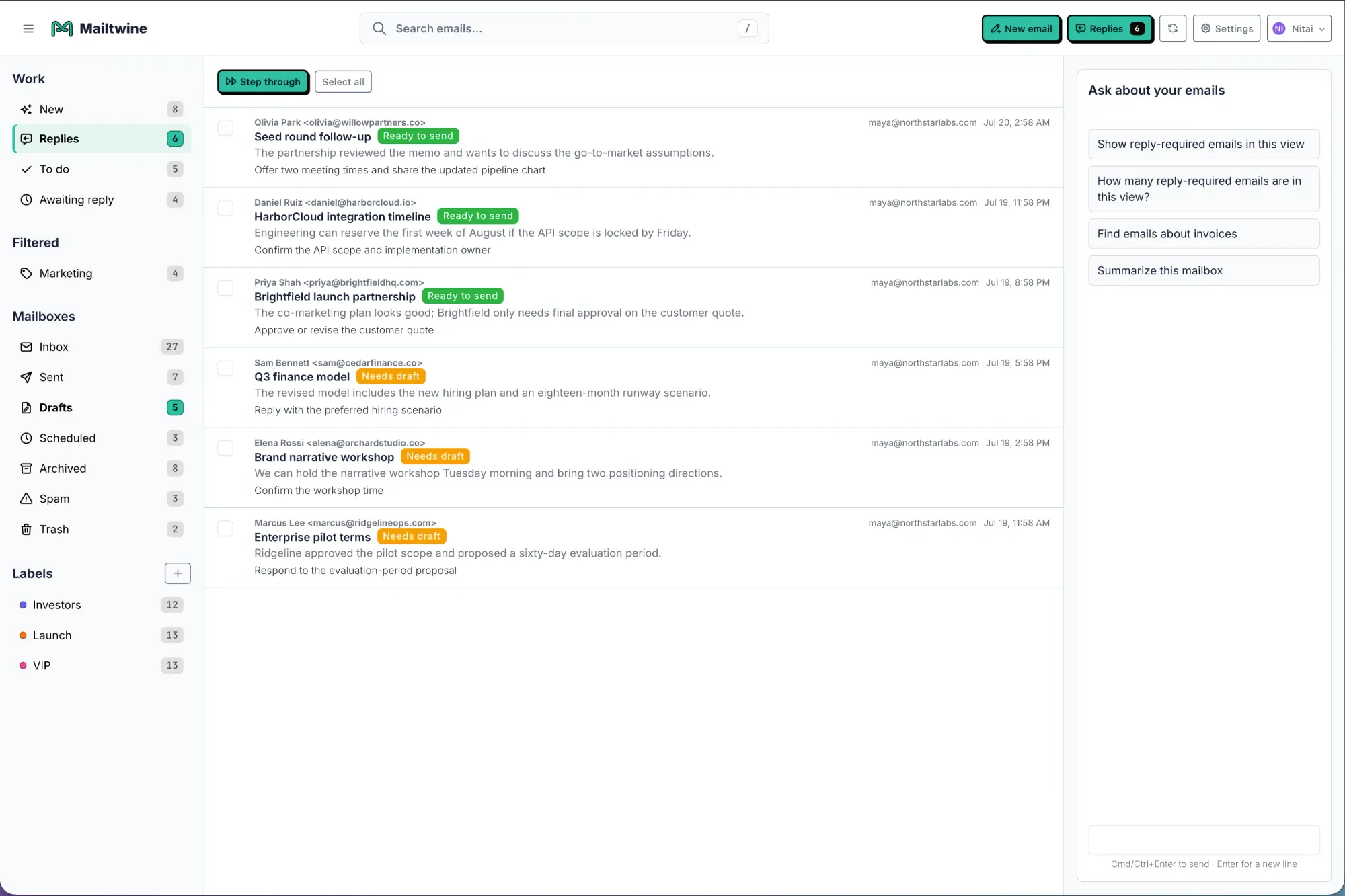
The triage workflow to look for
- Classify incoming mail by topic or intent
- Prioritize what needs attention first
- Route the message to the right person or team
- Draft a reply or suggested next step
- Approve sensitive or customer-facing responses
- Escalate items that need faster handling
That workflow is the reason triage software often fits teams better than general "assistant" tools. It handles inbox decisions before the writing starts.
Best for: Teams with high-volume inboxes and clear ownership rules.
Related reading: How to triage email with AI and Email triage software that works your inbox like an operator
6. Email management tools
Email management tools is a broad label, which is exactly why it needs careful filtering. Some tools help individuals stay organized. Others manage a shared operational inbox with real controls.
What to ask before you buy
- Does it support shared ownership?
- Can it route and assign messages?
- Does it keep an audit trail?
- Can humans review replies before they go out?
- Does it work with your current provider mix?
If you need a tool that covers triage, routing, approvals, and mailbox flexibility, Mailtwine is closer to the problem than a generic email app.
Best for: Teams comparing software options and looking for workflow depth.
Related reading: Email management tools: what to look for in an email management app and AI inbox management software comparison
7. AI email summarizer tools
Summarization is useful, but only if it leads to action. A good summary should do more than shorten text. It should show the main topic, current status, next step, owner, and deadline.
That is why summarization is best when it supports triage. If a summary does not help someone decide what to do next, it is mostly a convenience feature.
Use this when you need
- Faster thread review
- Better context for shared inboxes
- Clear action items
- Less time rereading long discussions
Mailtwine treats summaries as part of the workflow, not a standalone feature. That makes it more useful in queues where people need to move quickly from reading to deciding.
Best for: Teams and individuals dealing with long, complex email threads.
Related reading: AI email summarization: how to turn long threads into clear action items
8. AI email workflow automation tools
Workflow automation is the right category when you need repeatable steps, not just better inbox organization.
For email, that can include assignment, approval, escalation, tagging, and follow-up reminders. It is the difference between sorting messages and moving work forward.
Workflow examples
- A support request is classified, assigned, and routed to the right queue
- A customer escalation is flagged and approved before response
- A long thread is summarized and handed off with next action visible
- A finance request is escalated if it waits too long
Mailtwine is designed around that kind of workflow. The product sits close to the inbox and helps teams handle the next step without losing context.
Best for: Teams that treat email as a process, not just a communication channel.
Related reading: Email automation for busy teams and AI for email
Which type should you choose?
Choose based on the job, not the label.
- Choose a drafting assistant if you mostly want faster writing
- Choose a summarizer if you mostly want faster reading
- Choose inbox management software if you share ownership of email
- Choose triage software if you need prioritization and routing
- Choose workflow automation if you need repeatable inbox operations
For individuals, the best AI email assistant is often the one that makes replies faster. For teams, the best AI email assistant is usually the one that reduces manual triage, routing confusion, and approval bottlenecks.
Why Mailtwine is different from a basic email assistant
Mailtwine is not trying to compete with a drafting-only assistant on copy polish. It is built for operational inboxes that need structure.
That means:
- Mailtwine triages messages before they become backlog
- Mailtwine supports shared workflows, not just personal productivity
- Mailtwine works with Helpmonks, Fastmail, IMAP, Microsoft 365, and Google accounts
- Mailtwine supports teams that need approvals and routing, not only response help
If your inbox is a queue with decisions, then the best tool is one that manages the queue, not one that only helps type faster.
Frequently asked questions
What is the best AI email assistant for teams?
The best AI email assistant for teams is the one that handles triage, routing, approvals, and shared ownership, not just drafting. Teams usually need workflow support more than writing help, especially when multiple people share an inbox.
What is the best AI email assistant for individuals?
The best AI email assistant for individuals is usually a drafting or summarization tool that saves time on replies and thread review. If you do not share an inbox or route work to others, a simpler assistant may be enough.
Is an AI email assistant the same as email automation?
No. An AI email assistant usually helps with drafting, summarizing, or sorting. Email automation moves email through repeatable steps such as assignment, approval, and follow-up. Mailtwine combines those ideas for team inbox workflows.
Do I need a tool that works with my existing mailbox?
Yes, if you want adoption to be easy. Mailtwine works with Helpmonks, Fastmail, IMAP, Microsoft 365, and Google accounts so teams can keep their current mailbox setup and still add AI triage.
Should I pick drafting help or inbox workflow software?
Pick drafting help if the bottleneck is writing. Pick inbox workflow software if the bottleneck is deciding what to do, who owns it, and when it should move. For most teams, that second problem matters more.
If you want to compare tools by workflow depth instead of just by writing features, start with How to triage email with AI or Email management tools.