What Mailtwine does for email triage

Mailtwine is email triage software for teams that need the inbox to become a clear action queue. Instead of leaving every message to manual review, it helps sort, prioritize, route, draft, and approve email work inside the mailbox your team already uses.
That matters when the inbox is not just a place for reading messages. In support, operations, sales, and shared team mailboxes, every email needs a decision: who owns it, how urgent it is, and what happens next. Mailtwine is built for that first pass, so your team spends less time scanning and more time acting.
It works natively with Helpmonks and Fastmail, and also supports IMAP, Microsoft 365, and Google accounts. So teams can keep their current mailbox setup and add AI email triage without rebuilding their workflow from scratch.
AI Email Triage for Busy Inboxes
Mailtwine helps busy teams handle the part of email work that slows everything down: reading, classifying, and deciding. When a message arrives, the system can help identify what it is about, whether it needs attention now, and which path it should take next.
That makes it useful for inboxes with recurring requests, customer issues, internal approvals, and messages that need to move between people. A support queue, for example, may need urgent issues surfaced first, while routine requests can be grouped, delegated, or deferred. Mailtwine is designed to support that kind of triage flow.
The goal is not to automate every reply. The goal is to remove repetitive inbox decisions first. Once the right message is in the right place, faster drafting and follow-up become much easier.
What email triage means in a team inbox
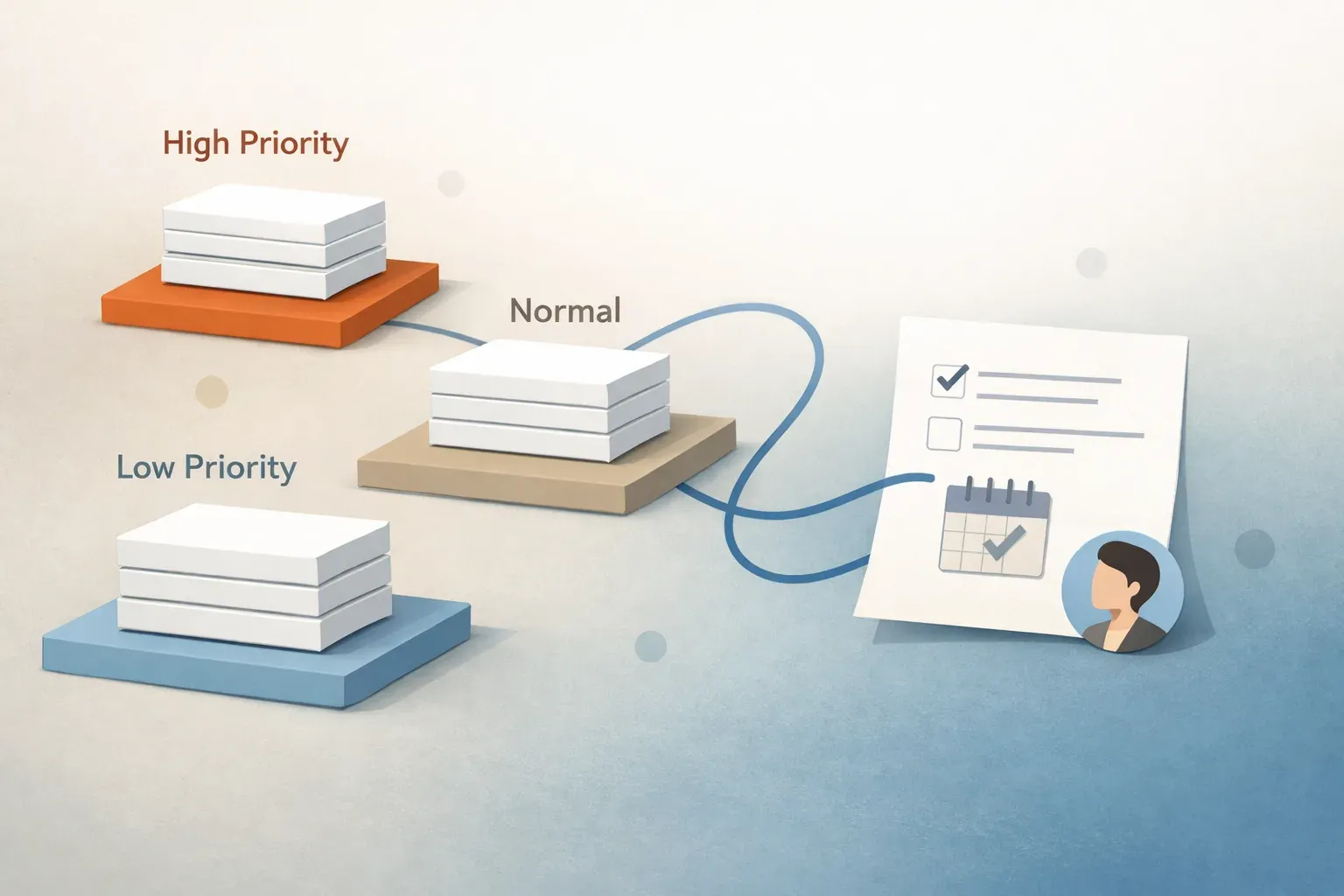
Email triage is the process of reviewing incoming messages, deciding what matters, and moving each thread toward the right next step. In a team inbox, that usually includes assigning ownership, setting priority, and making sure important messages do not sit unanswered.
A basic triage workflow looks like this:
- A message arrives in a shared inbox.
- Mailtwine helps determine whether it is urgent, routine, or needs review.
- The thread is summarized or classified so the team can understand it quickly.
- The message is routed, drafted, or assigned to the right person.
- If needed, a human reviews the response before anything is sent.
That process sounds simple, but it is where most inbox time gets lost. Without triage, teams reread the same thread multiple times, forward it manually, or leave it sitting until someone is free. Mailtwine helps turn that delay into a managed workflow.
If you want the broader category framing, see How to triage email with AI and Email triage software that works your inbox like an operator.
How Mailtwine handles the first pass of inbox work
Mailtwine is not just a writing helper. It is built to handle the first operational layer of email, which is where most teams need the most help.
Prioritize
Mailtwine helps surface the messages that matter first. That can include customer issues, deadlines, VIP senders, or threads with clear urgency signals. Instead of forcing someone to scan every new message in order, it helps sort the queue so attention goes where it belongs.
Summarize
Long threads are easier to work with when the key details are visible quickly. Mailtwine can turn a thread into a shorter view that shows the main topic, status, and likely next action. That is especially useful when ownership changes or when someone needs to review the context before replying.
Route
Some emails should not stay with the first person who sees them. Mailtwine helps send messages to the right person or team based on the issue, customer, or workflow stage. That is a better fit for shared inboxes than basic filters, because the result is an owned task, not just a labeled message.
Draft
When a message is ready for a reply, Mailtwine can help prepare grounded drafts. That shortens response time without removing review where it matters. Teams can keep human oversight on sensitive or customer-facing messages.
Defer
Not every email should be handled immediately. Some threads need to be held, monitored, or revisited later. Mailtwine helps keep those messages visible without forcing the team to treat every incoming item as urgent.
How AI inbox management works
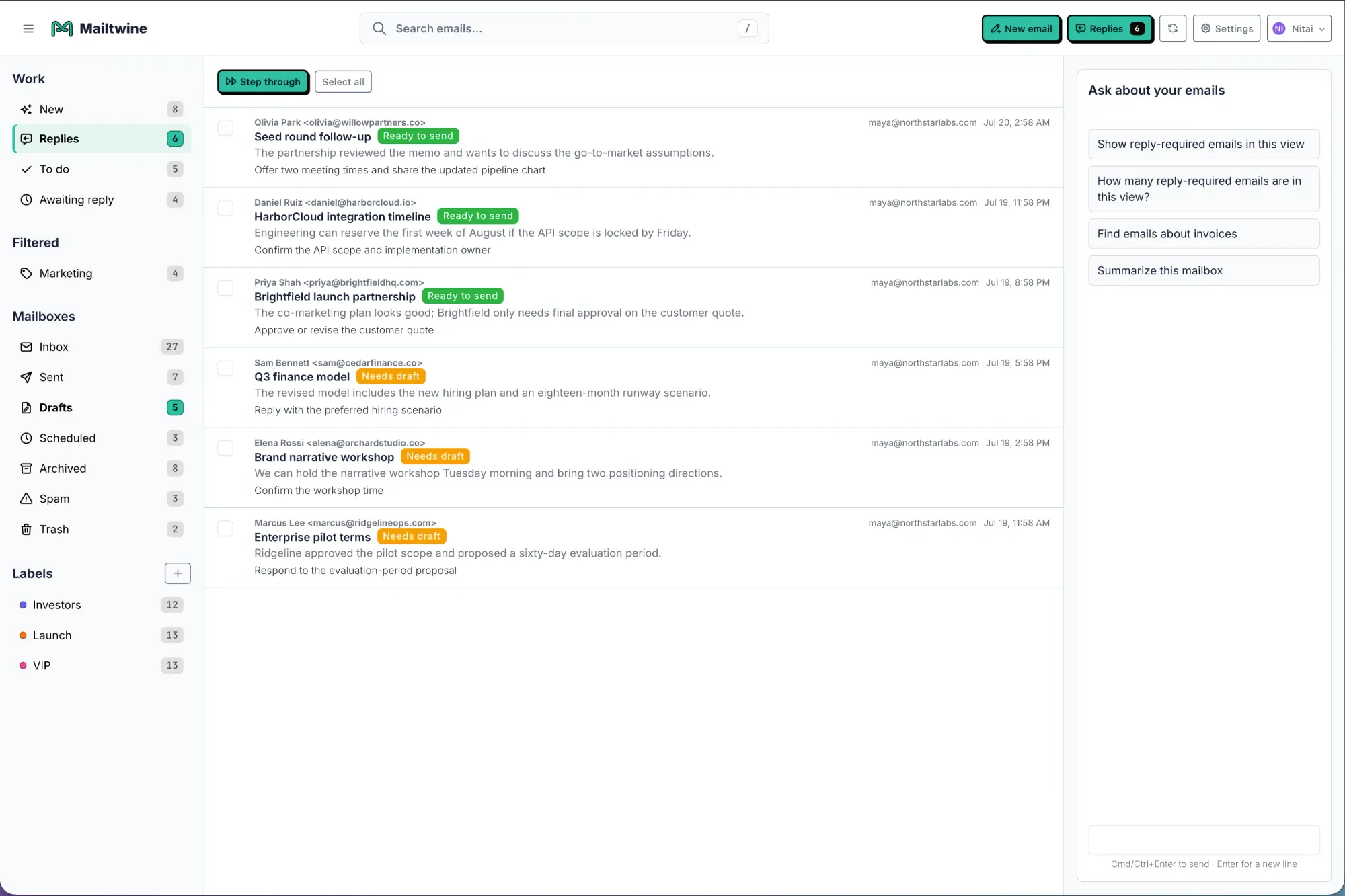
AI inbox management is the sequence behind the triage process: prioritize, summarize, route, draft, and defer. Mailtwine uses those steps to help teams move email from incoming noise to clear action.
A useful way to think about it is this:
- Prioritization tells you what needs attention now.
- Summarization tells you what the thread is about.
- Routing tells you who should handle it.
- Drafting helps you respond faster.
- Deferring keeps lower-priority work from clogging the front of the queue.
That sequence matters because drafting alone does not solve inbox overload. If a team still has to manually decide what every message means, it has not removed the real bottleneck. Mailtwine focuses on that bottleneck first.
For a broader overview of the category, read AI for Email: How to Use Artificial Intelligence to Manage Your Inbox and What Is Email AI? How AI Can Improve Your Inbox Workflow.
What Mailtwine is for, and what it is not for
Mailtwine is designed for teams that treat email as operational work. That includes support teams, shared service inboxes, approvals, internal requests, and cross-functional queues where ownership matters.
It is a fit when you need:
- shared inbox triage
- routing and assignment
- review and approval steps
- thread summaries that preserve context
- workflow support across different mail providers
It is not meant to be just another drafting shortcut. If your team only wants faster prose, a lightweight assistant may be enough. If your team needs the inbox itself to behave like a managed queue, Mailtwine is closer to the problem.
That distinction also matters for search intent. People looking for an AI email assistant often mean different things. Mailtwine answers the operational version of that need: an assistant that can triage, route, and support team workflows, not just help write.
Why this matters for shared inbox teams
Shared inboxes break down when every message has to be manually interpreted by a human before any action can happen. That is where delay, misrouting, and missed replies usually start.
Mailtwine helps reduce that friction by making the first decision faster. A team does not have to ask, "What is this?" and "Who owns it?" for every message from scratch. Instead, the inbox starts to behave like a queue with visible state.
That is especially useful when multiple people touch the same mailbox. In that setup, the real problem is not email volume alone. It is the cost of coordination. Mailtwine is built to lower that cost.
A good way to frame it is:
- inboxes with simple reply work need help drafting
- inboxes with repeated decisions need triage
- inboxes with ownership, approvals, and routing need workflow automation
Mailtwine is built for the third case.
Where Mailtwine fits with Outlook, Gmail, Fastmail, Helpmonks, and IMAP
Mailtwine works with the mailbox you already have, which lowers the barrier to adoption. Teams can connect their existing environment instead of moving to a new email system.
That includes:
- Helpmonks
- Fastmail
- IMAP
- Microsoft 365
- Google accounts
For platform-specific teams, this matters because the workflow stays attached to the mailbox people already use every day. If a company lives in Outlook or Gmail, the triage system should support that reality rather than forcing a migration.
For Outlook users, see AI email triage for Outlook and Microsoft 365 and AI Email Assistant for Outlook: What It Does and How Mailtwine Fits.
For Google users, see AI email triage for Gmail and Google Workspace.
What to look for in inbox management software
If you are comparing tools, the best inbox management software should do more than help someone reply faster. It should help the team decide what the message is, who owns it, and what happens next.
Look for these capabilities:
- Shared queues: Can multiple people work from the same inbox without confusion?
- Ownership: Can messages be assigned clearly?
- Approval steps: Can sensitive replies be reviewed before sending?
- Routing: Can messages move to the right person or team automatically?
- Context retention: Do summaries, notes, and thread history stay attached to the work?
- Mailbox flexibility: Does it work with your current provider?
If a tool only offers writing assistance, it may help one part of the problem but not the workflow. Mailtwine is positioned for teams that need the inbox to operate like a system, not a notepad.
For a fuller buyer guide, see Email management tools: what to look for in an email management app and AI Inbox Management Software Comparison: How to Choose the Right Tool for Your Team.
What a useful email triage setup looks like
A good triage setup should make the next step obvious. If a message arrives and the team still has to guess what to do with it, the system is not doing enough.
A practical setup usually does three things well:
- Shows priority: urgent messages are easy to spot.
- Shows ownership: each thread has someone responsible for it.
- Shows next action: reply, route, approve, defer, or close.
Mailtwine is built around that logic. It helps reduce the noise first, then supports the action that follows. That is why it fits so naturally into support and team inbox workflows where throughput and accountability both matter.
Frequently Asked Questions
What does Mailtwine do for email triage?
Mailtwine helps teams sort, prioritize, route, draft, and approve email work inside their existing inbox. It focuses on the first pass of inbox management, so messages move faster from incoming mail to clear action.
Is Mailtwine an email assistant or triage software?
It is triage software first. Some people may describe it as an email assistant, but Mailtwine is built to do more than draft replies. It helps teams manage the inbox as a workflow with ownership, priority, and review steps.
What is AI email triage?
AI email triage uses artificial intelligence to decide what an email is about, how urgent it is, and who should handle it. Instead of reading every message manually, teams can let the system handle the first pass and then act on the result.
What is email workflow automation?
Email workflow automation is the use of rules and AI to move email through repeatable steps such as assignment, drafting, approval, and follow-up. It helps complete the work around the email, not just sort the message.
Does Mailtwine replace my mailbox?
No. Mailtwine works with the mailbox you already use, including Helpmonks, Fastmail, IMAP, Microsoft 365, and Google accounts. The goal is to improve triage and workflow without forcing a migration.
What is the difference between an AI email assistant and email automation?
An AI email assistant usually helps with writing, summarizing, or sorting. Email automation is broader because it moves messages through a defined workflow. Mailtwine sits closer to automation because it supports triage, routing, approvals, and team inbox operations.
Try Mailtwine for the inbox work that slows teams down
If your team is spending too much time deciding what each email means, Mailtwine is built to remove that friction. It helps turn inboxes into managed queues with priority, ownership, and next action visible from the start.
That is the real value of AI email triage: less scanning, fewer missed messages, and faster movement from incoming email to action. If that is the workflow you need, start with How to triage email with AI or review Email triage software.