How to Automate Logistics & Freight Email Triage Without Missing a Shipment
The Logistics Email Dilemma: When Unread Messages Mean Demurrage Fees
In freight forwarding, 3PL warehousing, and carrier dispatch, email is not just another communication channel—it is the operational nervous system. Every day, dispatch desks receive thousands of unstructured messages containing critical shipping data: bill of lading (BOL) releases, container milestone events, customs clearance holds, carrier rate quotes, and urgent delivery exceptions.
When an email sits unread for two hours in a normal office setting, an internal meeting might get pushed back. When a shipment email sits unread in logistics, container free time expires, drivers sit idle at terminal gates, and demurrage penalties rapidly accumulate at $400 or more per container per day.
Traditional email management tools like Outlook rules or Gmail filters break down immediately in freight. Why? Because logistics emails come in hundreds of unpredictable formats from ocean carriers, air forwarders, customs brokers, and drayage truckers. Static keyword rules cannot extract dynamic container IDs or understand the urgency of a port cut-off.
Why Manual Triage Fails at Freight Scale
A typical logistics coordinator manages 300 to 600 emails every shift. The manual process looks like this:
- Opening and scanning: Scrolling past disclaimers and multi-page email signatures to find the container or PO number.
- Cross-referencing TMS/WMS: Copy-pasting the tracking reference into a transportation management system to identify the assigned account.
- Assessing urgency: Determining if this is a routine milestone notice or a critical CBP customs inspection hold.
- Routing and updating: Forwarding the message to the right drayage dispatcher and typing a manual acknowledgment.
This repetitive manual friction consumes 60% of an operator's daily capacity. To scale operations without linearly inflating headcount, freight teams are adopting dedicated logistics email triage software.
The 4 Pillars of Automated Freight Email Triage
Modern AI triage does not attempt to replace dispatchers—it acts as an intelligent co-pilot that preprocesses every message before anyone sits down.
1. Automated Identifier Extraction (BOL, PO, Container, Booking)
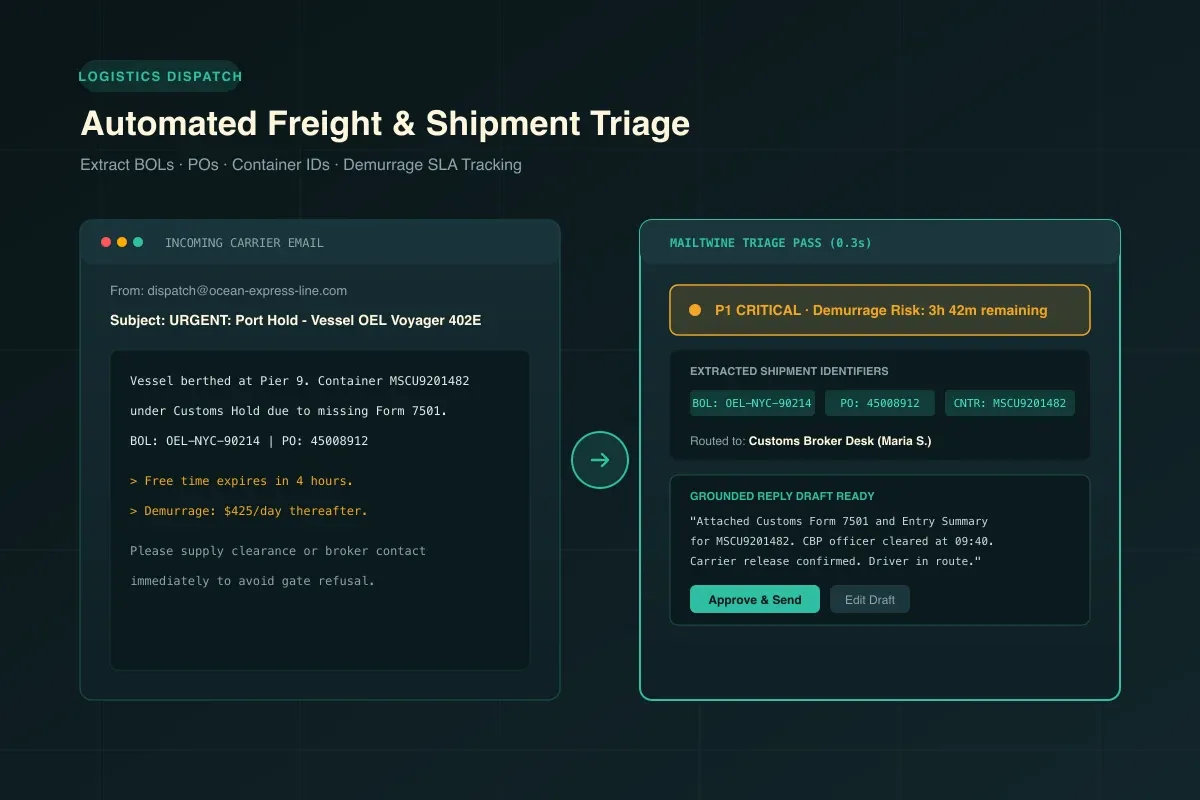
Instead of requiring humans to hunt through email bodies and PDF attachments, AI models extract operational identifiers automatically:
- Bill of Lading numbers: Master (MAWB/MBL) and House (HAWB/HBL) tracking identifiers.
- Ocean Container IDs: Standard ISO 6346 codes (e.g., MSCU, MAEU, CMAU).
- Purchase Orders (PO): Shipper reference numbers matching ERP purchase orders.
- Booking & Entry Numbers: Customs Form 7501 reference tags and terminal delivery appointments.
2. Consequence-Based Prioritization & Demurrage SLA Tracking
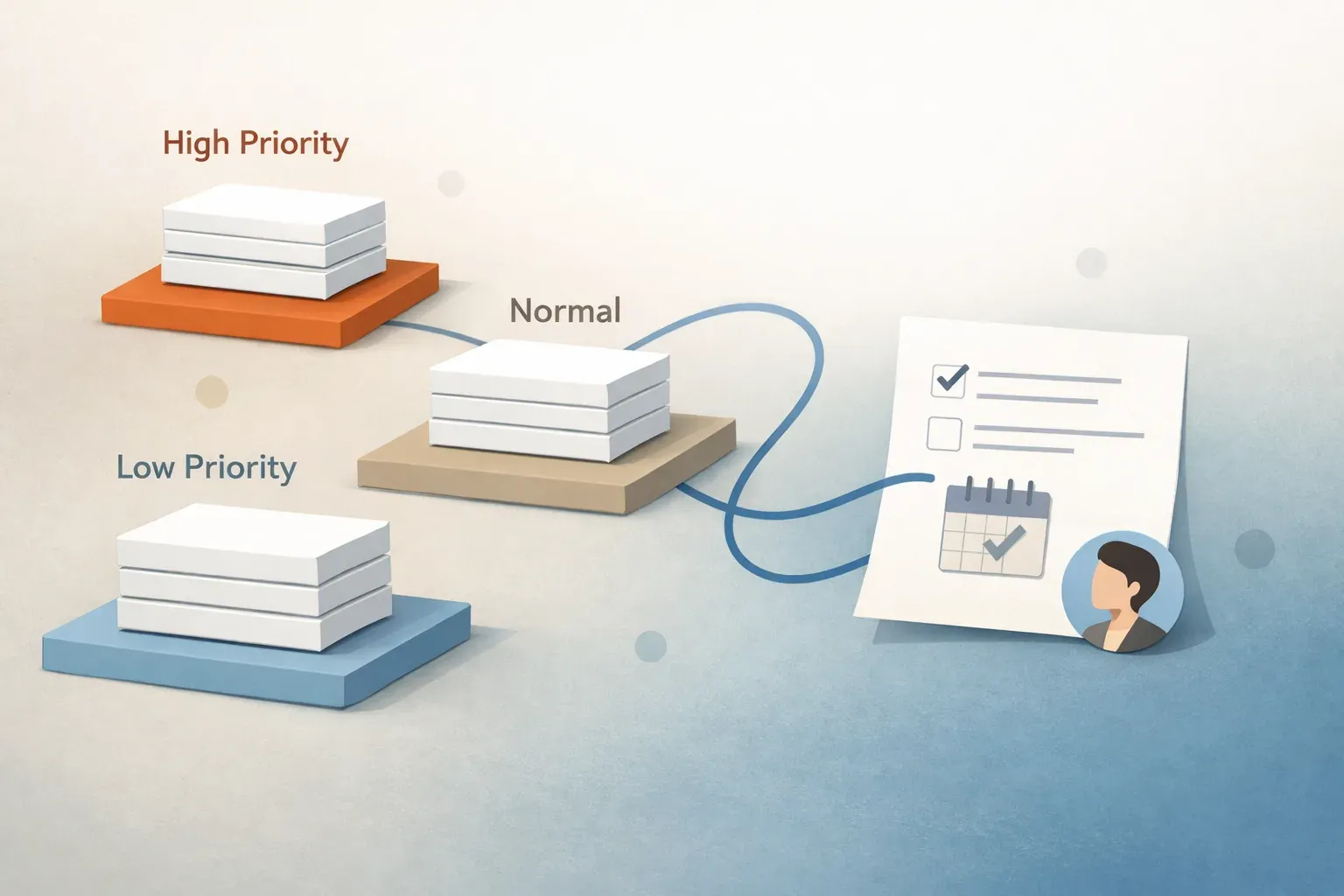
Not all logistics emails are created equal. A routine delivery confirmation requires zero immediate action, whereas an email titled "Gate Refusal: Missing Commercial Invoice" requires action within 15 minutes. AI email prioritization scores incoming messages by operational consequence and starts SLA response countdowns so critical exceptions surface immediately.
3. Plain-Language Carrier and Lane Routing
Incoming messages are matched to accounts, trade lanes, or transportation modes (Air, Ocean FCL/LCL, Domestic FTL/LTL) and routed directly to the accountable dispatcher or broker queue without messy manual forwarding chains.
4. Review-First Status Drafting
When an overseas agent or customer asks for a container milestone, email triage software drafts an accurate, polite response containing the latest ETA, port discharge status, and driver tracking link. The dispatcher reviews the pre-filled response and approves it with a single click.
How Mailtwine Powers Freight Forwarding Workflows
Mailtwine connects directly to your existing mailboxes across Google Workspace, Microsoft 365, Fastmail, or shared IMAP inboxes (such as dispatch@ or operations@). It requires zero server migration and keeps your existing workflows intact while providing an operational triage command center.
Ready to eliminate inbox backlogs and protect your team from missed cut-offs? Explore Mailtwine for Logistics & Freight Forwarding or try our free public beta today.