How to Choose AI Inbox Management Software

Choosing AI inbox management software comes down to one question: will it help your team make better inbox decisions, or just make the inbox look cleaner?
A lot of tools can summarize a thread or suggest a reply. Fewer can handle the work that actually slows teams down: prioritizing incoming messages, routing them to the right person, keeping approvals visible, and working with the mailbox you already use. If your inbox is shared across support, success, sales, or operations, the best tool is usually the one that turns email into an accountable queue.
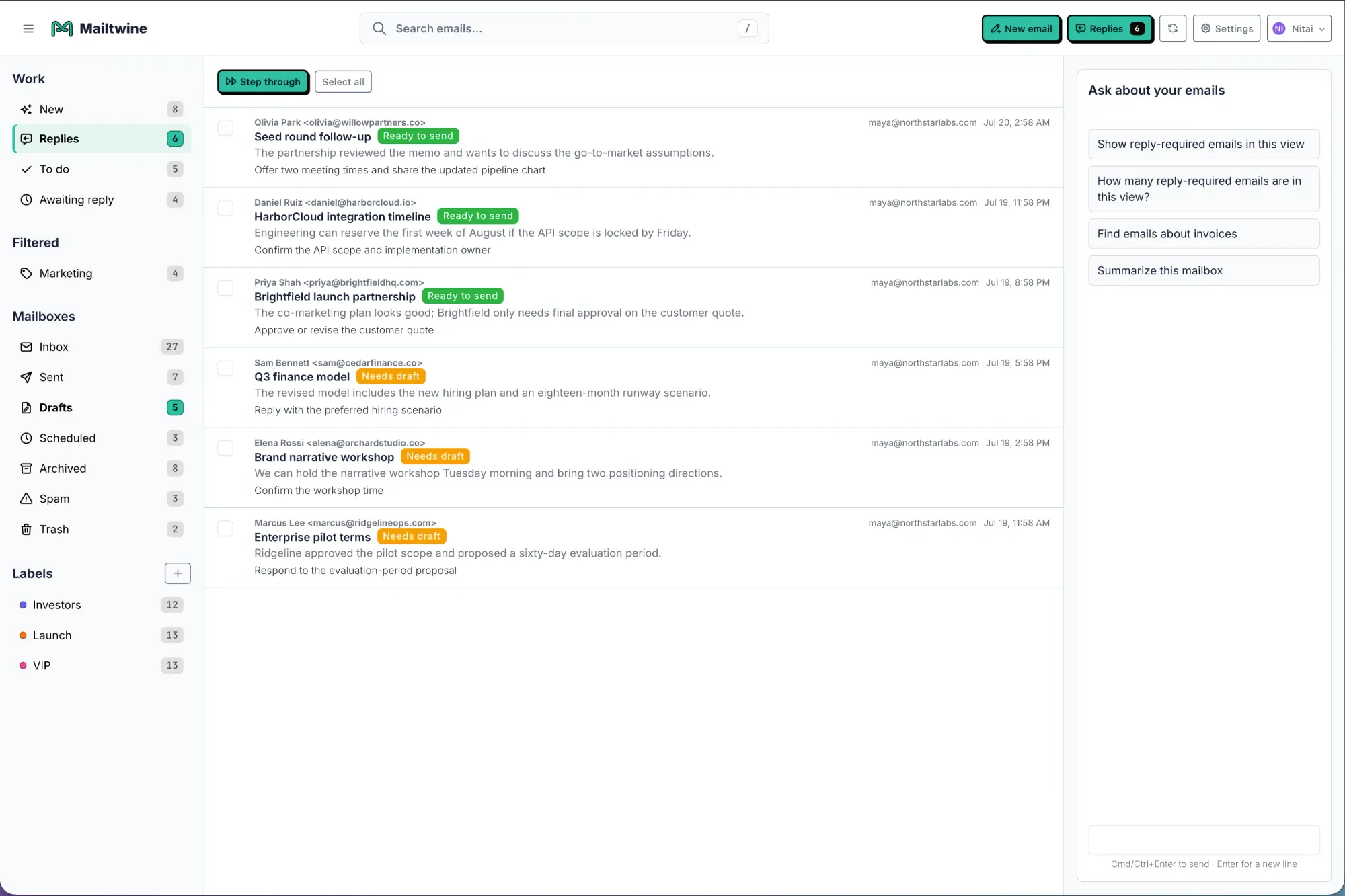
Mailtwine is built for that layer of work. It is a new kind of email triage software that automatically triages emails with advanced AI features and works natively with Helpmonks, Fastmail, IMAP, and Microsoft 365 accounts. So instead of forcing a mailbox migration, it fits into the systems teams already run.
What AI inbox management software should do
AI inbox management software should help you answer four things faster:
- What matters first?
- Who should own it?
- What should happen next?
- Does it need review before anyone sends a reply?
If a tool cannot improve those decisions, it is probably closer to an assistant for individual drafting than an inbox system for a team.
For many teams, the right starting point is not “Can it write a reply?” but “Can it reduce the manual sorting that happens before any useful work can begin?” That is the difference between a helpful feature and a workflow tool.
The main criteria to compare
When you compare AI inbox management software, use the inbox itself as the test. Open a busy shared mailbox and ask whether the tool can keep the thread moving without losing control.
1. Prioritization
Prioritization is the first filter. The software should identify urgent customer issues, VIP senders, deadlines, escalations, and messages that require an answer now.
Good prioritization is not just keyword matching. It should use context from the message, the sender, the thread history, and the operational impact of the email. If the tool cannot tell the difference between “please update me” and “the account is down,” it will not save much time.
Mailtwine focuses on this triage layer so important mail surfaces first and the team does not have to manually scan every message to find the one that needs attention.
2. Routing and assignment
Once a message is prioritized, it needs an owner. Routing matters most when more than one person shares the inbox.
Look for software that can assign by topic, team, customer type, urgency, or workflow stage. The useful question is not “Can it tag a message?” It is “Can it get the right message to the right person without a human sorting it every time?”
If you work in a team inbox, routing is often more valuable than generic reply help. A draft that reaches the wrong person still creates a delay. A routed message with the right context moves.
3. Team collaboration
Shared inboxes fail when the team cannot see what has been claimed, reviewed, or handed off. Good software should make ownership obvious.
That usually means:
- explicit assignees
- visible next actions
- thread-level context
- status tracking
- shared history
This matters even more when several teams touch the same inbox. Support may need to respond, but sales may need to add context, and a manager may need to review the reply before it goes out.
Mailtwine is designed around that operational reality. It helps teams move from a pile of unread mail to a queue with ownership and context.
4. Approvals and human oversight
Not every reply should be sent automatically. In many businesses, the right model is draft first, send after review.
That is especially important for sensitive customer messages, policy exceptions, escalation replies, or anything that carries financial or legal risk. AI can help prepare the response, but a person should still approve it when accuracy matters.
When you compare tools, check whether approvals are built into the workflow or bolted on afterward. The best systems keep the draft, the action, and the approval in the same thread so review does not become a second, disconnected process.
5. Context retention
A good AI inbox tool should keep context attached to the thread. Summaries are useful only if they help someone act.
If a tool summarizes a long thread but separates that summary from assignment, routing, or the next step, the value drops fast. The summary should support action, not replace it.
This is one reason teams like inbox command-center style tools. They do not just condense information. They keep priority, ownership, and next action visible together.
6. Mailbox compatibility
One of the biggest adoption risks is mailbox migration. If your team has to change email providers, retrain everyone, and rebuild workflows before testing the software, rollout gets harder.
Ask whether the tool works with your current setup. Does it connect to the mailbox you already have? Can it support multiple providers? Does it rely on a brand-new inbox, or can it layer on top of existing mail?
Mailtwine works natively with Helpmonks, Fastmail, and IMAP, and it is expanding support for Microsoft 365 office accounts. That makes it easier for teams to adopt AI inbox management without rebuilding their email environment from scratch.
A simple way to compare tools
If you are reviewing several options, score each one against these questions:
- Does it find the urgent mail first?
- Can it route messages to the right person or team?
- Does it support shared inbox ownership?
- Can a human approve sensitive replies?
- Does it preserve thread context?
- Do we need to migrate mail to use it?
A tool that scores well on all six is built for inbox operations. A tool that only scores well on drafting is better described as an email assistant.
When you need more than a summarizer
Summarization is useful, but it is not the whole job.
A summarizer tells you what a long thread says. AI inbox management software should tell you what to do next. That means priority, next action, ownership, and workflow state.
This matters most when inbox volume is high enough that manual review becomes a bottleneck. In those cases, the goal is not to automate every email immediately. The goal is to remove repetitive triage work first, then automate the parts of the workflow that are safe to automate.
If your team still spends time asking, “Who owns this?” or “Which message needs a response first?” then you need more than a writing tool. You need a system for inbox decisions.
How Mailtwine fits this decision
Mailtwine is built for teams that want AI inbox management to act like an operator, not a helper.
It focuses on:
- automatic triage
- prioritization
- routing
- approvals
- workflow automation
- native mailbox connections
That makes it a strong fit when inbox work is operational, not just personal. If your team needs to classify messages, assign owners, route work, escalate issues, and keep review visible, Mailtwine is designed for that flow.
It also works with real mailbox environments instead of asking teams to start over. That matters because adoption is usually easier when the software fits the existing inbox.
For teams comparing tools, Mailtwine is especially relevant when the decision is about structure. If you need a clean draft, many tools can help. If you need an inbox that keeps work moving with clear ownership and review, the comparison changes.
Which type of team should choose which tool?
Here is the short version:
- Choose a basic AI email assistant if your main problem is drafting or quick summaries.
- Choose AI inbox management software if your main problem is triage, routing, approvals, and team ownership.
- Choose Mailtwine if your team wants the mailbox to become an action queue without a migration.
That distinction matters because “AI for email” can mean a lot of things. Some tools focus on writing. Others focus on inbox operations. A team inbox usually needs the second category.
For more context on the difference between assistants and workflow tools, see AI for Email: How to Use Artificial Intelligence to Manage Your Inbox and Email Automation for Busy Teams: What It Is and How It Works.
A practical buying checklist
Before you buy, ask these questions in order:
- What is the first bottleneck in our inbox? If it is sorting, choose software with strong prioritization and triage.
- Do we need team routing or just reply help? If multiple people own the inbox, routing matters more than drafting polish.
- Do we need approvals? If replies need review, choose a workflow tool, not a standalone assistant.
- How much context stays with the thread? Good software keeps summaries, ownership, and next actions together.
- Can it work with our current mailbox? If the answer is no, adoption may stall.
- Do we need Microsoft 365 support now, or soon? If Outlook is part of your workflow, this should be a make-or-break question.
Mailtwine answers these questions with a focus on operational inboxes. It is not trying to replace email. It is trying to make email manageable.
What to avoid
A lot of teams overbuy on features they do not actually need.
Watch out for tools that:
- summarize threads but do not route them
- write drafts but do not support approvals
- require a new inbox before you can test the workflow
- hide ownership behind labels
- promise automation but leave humans to do the first pass manually
Those tools can still be useful, but they may not solve the real bottleneck. If the inbox is where work gets stuck, the software should reduce decision fatigue, not create another layer of it.
The bottom line
The best AI inbox management software is the one that turns incoming email into clear action with the least disruption to your current workflow.
If you only need help writing replies, a lightweight assistant may be enough. If you need prioritization, routing, collaboration, approvals, and mailbox flexibility, choose software that is built for inbox operations.
That is where Mailtwine fits best. It helps teams triage automatically, keep ownership clear, and move email work forward without forcing a mailbox migration.
If you want to see how that works in practice, start with What is AI email triage? or review Mailtwine vs Fyxer and Mailtwine vs Superhuman.