Using Mailtwine on Mobile, Desktop, and in Your Browser
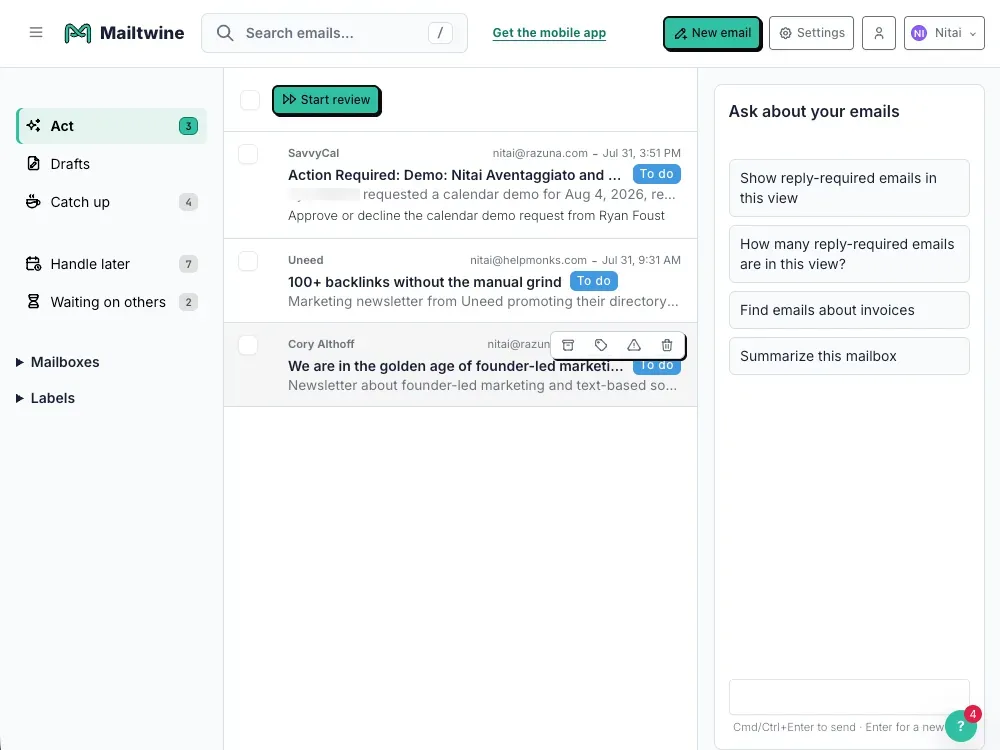
As we prepare to let more people try Mailtwine for their AI assistant email workflows, we are thrilled to announce that our Mailtwine mobile apps for iOS and Android, the Mailtwine desktop app for Windows, macOS, and Linux, and the Mailtwine browser extensions are now available.
The Mailtwine mobile app
While switching to Mailtwine is not a prerequisite for using the full potential of our email triage system, it offers a significant advantage by providing a unified interface for managing all your email accounts, regardless of the email provider you use. This means you can access and organize your emails from multiple accounts in one streamlined view, eliminating the hassle of logging into different platforms.
Our mobile app enhances this experience by allowing you to gain insights into your emails from a single, convenient location. With just a glance, you can understand your email landscape, prioritize important messages, and take action more efficiently. The power of our AI, integrated within the app, can assist you in drafting replies, saving you time and effort in managing your inbox.
We understand the importance of simplicity and focus in a fast-paced world; hence, the app is designed to highlight the most critical elements of your email workflow. Users can quickly address the emails that require immediate attention, ensuring that urgent matters are handled promptly. For those emails that can wait, we've created a dedicated section called "Catch Up," where you can revisit and respond to non-urgent communications when your schedule allows.
As we are currently in the public beta phase, we are eager to refine the app's features and layout based on your feedback. We appreciate your input as we work to enhance your email management experience, and we look forward to sharing previews of our evolving app layout with you!

The Mailtwine desktop app
The Mailtwine desktop app, much like our mobile applications, provides users with a swift and efficient way to manage and view their emails. In addition to the standard features users expect, we have enhanced the app with faster browsing capabilities, allowing for a more seamless experience when navigating through emails.
Furthermore, we have introduced a convenient menubar option, which empowers users to access their email functions quickly without needing to switch between different windows. This combination of improvements is designed to streamline your email management and make your workflow more productive.
The Mailtwine browser extension
With the Mailtwine browser extension, users can seamlessly import their emails and gain insight into all the connections associated with their accounts. This powerful tool allows you to access multiple ready-to-use email drafts, enabling you to respond quickly and efficiently to various communications. Throughout your web session, you can interact with Mailtwine AI, which assists you in drafting responses, managing your inbox, and enhancing your overall email experience.
What sets the Mailtwine browser extension apart is its capability to provide not just a single AI assistant, as seen with Outlook Copilot, but a comprehensive AI support system for all your connected email accounts, regardless of the provider. This holistic approach significantly boosts your productivity, as it grants you a complete, 360-degree view of your email landscape. Whether you're juggling several accounts under one email service or managing disparate accounts across multiple providers, Mailtwine empowers you to stay organized, focused, and efficient in handling your email communications.
Mailtwine - your emails, already handled
Mailtwine is an innovative email triage application designed to enhance your email management without requiring you to learn new skills or switch your email client. It operates seamlessly in your existing environment, sorting and categorizing your emails while also creating drafts for you.
Sign up today to discover the benefits that many others are already enjoying.